
Apple announced the 14-inch MacBook Pro M6 on 27 October 2026. Pre-orders opened the next day, and the laptop reaches buyers on 6 November. Here are seven facts that tell you what it is, taken from Apple own pages rather than from the rumours that ran all year.
Updated October 2026. Prices and configurations change, so check the manufacturer pages linked at the end before you buy anything.
1. What the MacBook Pro M6 actually is
It is the smallest MacBook Pro, with a 14.2 inch screen, built around a new chip called M6. Apple sells it in two colours, space black and silver. It starts at $1,999 in the United States, or $1,899 with education pricing.
One detail surprises people. The M6 chip is only offered in the 14 inch size. If you want a 16 inch MacBook Pro, you are choosing a different chip, the M5 Pro or the M5 Max. Apple spec page marks the other combinations as not available.
That is less strange than it sounds. Apple has released its smallest pro laptop with the newest base chip before, and filled in the larger sizes later. It does mean the newest Apple silicon and the largest MacBook Pro screen cannot be bought together today.
2. What is inside the M6 chip
A chip is really several engines sharing one piece of silicon. Apple splits the M6 like this:
- A 12 core CPU. Apple describes it as 2 super cores, 4 performance cores and 6 efficiency cores. Super cores are the new part of that description. Efficiency cores handle light background work using very little power.
- A 12 core GPU. The graphics engine. Each core now contains what Apple calls a Neural Accelerator, which is hardware built for the maths that AI models use.
- Hardware accelerated ray tracing. Ray tracing is a way of drawing light that follows individual rays. Doing it in hardware instead of software makes it far quicker.
- A dual 16 core Neural Engine. This is the part dedicated to AI work. The word dual is new for this generation.
Apple also claims the M6 has “the world fastest CPU core”. The footnote says that was tested in October 2026 against shipping competitive systems using industry standard benchmarks, but it does not name which systems or which benchmarks.
3. Memory, and the detail buried in a footnote
The MacBook Pro M6 comes with 16GB of unified memory as standard and can be configured to 24GB or 32GB. Unified memory means the processor and the graphics share one pool of memory instead of each having their own.
Here is the part worth reading twice. Memory bandwidth is how fast data moves in and out of that pool, measured in gigabytes per second. On the 16GB model it is 153GB/s. On the 24GB and 32GB models it is 170GB/s.
So the memory upgrade is not only more room. It is also a faster road into that room. For AI work, where a model has to be read repeatedly, bandwidth often matters as much as capacity.
4. The screen has not changed, and that is deliberate
The MacBook Pro M6 keeps the Liquid Retina XDR display. That is Apple name for a mini-LED screen, where thousands of small backlights switch on and off behind the picture to produce deep blacks.
- 14.2 inches, 3024 by 1964 pixels, 254 pixels per inch.
- Up to 1000 nits sustained full screen brightness, and 1600 nits peak for HDR content. A nit is a unit of brightness.
- A contrast ratio of 1,000,000 to 1.
- ProMotion, which varies the refresh rate up to 120Hz.
- An optional nano-texture finish that scatters reflections.
It is not a touchscreen. Apple spec page says so plainly. Touch arrived in the MacBook Pro line this month, but on a different model, which the next section explains.
5. Battery life, with the test attached
Apple says up to 24 hours, and calls it the longest battery life ever in a Mac. The spec page is more specific, and the difference matters.
- Up to 24 hours of video streaming.
- Up to 16 hours of wireless web browsing.
- A 72.4 watt hour battery.
Streaming a film is gentle work. Browsing with many tabs open is not. The real figure for most working days sits between those two numbers and closer to the lower one.
Battery figures only mean something with the test attached. Apple measures video streaming by playing 1080p content in Safari, and wireless web by browsing 25 popular websites, both with the screen 8 clicks from the bottom. Microsoft measures video by playing a 1080p file in Windows Media Player at 150 nits, and web browsing across twelve popular sites in multiple tabs. Those are different tests, so the hours are not directly comparable.
6. Ports, wireless and the Thunderbolt step down
The MacBook Pro M6 has three Thunderbolt 4 ports, an HDMI port, MagSafe 3 for charging, an SDXC card slot and a headphone jack. Wireless is Wi-Fi 7 and Bluetooth 6, handled by Apple own N1 chip.
There is a catch for anyone moving from a higher end model. Thunderbolt 4 runs at up to 40Gb/s. The M5 Pro and M5 Max MacBook Pro models use Thunderbolt 5, which runs at up to 120Gb/s. The newer laptop has the slower port standard.
The same pattern shows up with external screens. The M6 model drives up to two external displays. The M5 Pro drives up to three and the M5 Max up to four.
7. How much faster it really is
Apple compares the M6 against two things, and the gap between them is large.
Against the M5, one generation back
- Up to 30 percent faster graphics.
- Up to 25 percent faster AI workloads.
- A Neural Engine up to 1.9 times faster.
- Up to 1.3 times faster time to first token, which is how long an AI model takes to start answering.
- Up to 1.3 times faster rendering in Blender, and 1.3 times faster builds in Xcode.
Against the M1, five years back
- Up to 13 times faster time to first token.
- Up to 11.7 times faster rendering with ray tracing in Blender.
- Up to 3.3 times faster image processing in Affinity.
- Up to 2.5 times faster project builds in Xcode.
Both sets are Apple figures. The comparison machine for the M5 claims was a 14 inch MacBook Pro with M5, a 10 core CPU, a 10 core GPU, 32GB of memory and a 4TB drive. Our full M6 against M5 comparison goes through each claim in turn.
Who the MacBook Pro M6 is for
Three groups get clear value, and one group does not.
- People on an M1 era machine. The jump is genuinely large, and five year old batteries are usually tired.
- People who run AI models on their own laptop. The Neural Engine change and the memory bandwidth both point that way.
- People who want one small machine to do everything. A 14 inch laptop with 24 hours of video playback is unusual.
- People on an M5. A 20 to 30 percent gain is real but it is not a reason to replace a working laptop.
What the MacBook Pro M6 does not fix
Three limits survive this generation, and none of them is hidden.
- Memory tops out at 32GB. If you need more, you are buying an M5 Pro or M5 Max model instead, and those reach 64GB and 128GB.
- Thunderbolt 4, not 5. Fine for one or two screens and normal drives. Limiting for heavy external storage.
- No touchscreen and no 16 inch option. Both exist in the MacBook Pro line this month, just not on this model.
None of that is a flaw exactly. It is the shape of the entry level pro laptop, and Apple has drawn the line in roughly the same place for several years.
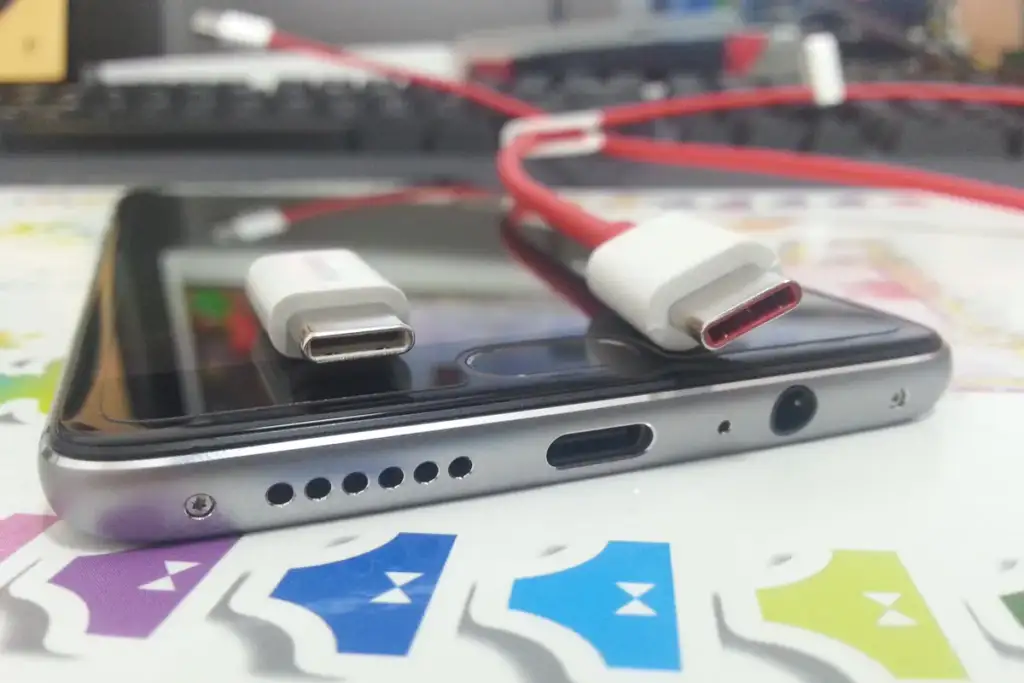
How it sits against the rest of the line
The MacBook Pro M6 is the cheapest MacBook Pro, but it is not the cheapest good Mac laptop. The MacBook Air with M5 is lighter, has no fan and quotes up to 18 hours of video streaming. Its screen is a 500 nit LED panel rather than a mini-LED one, and it has two Thunderbolt 4 ports rather than three.
Above the M6 sit the M5 Pro and M5 Max models, in 14 inch and 16 inch sizes, with far more memory bandwidth: 307GB/s on the M5 Pro and up to 614GB/s on the M5 Max. Above those sit the new touch models.
So the line now runs in two directions at once, by chip and by screen. That is unusual for Apple and it is the main thing that confuses buyers this year.
A short buying checklist
Five questions settle it faster than any specification table.
- Do you need more than 32GB of memory? If yes, this is not your machine.
- Do you need a 16 inch screen? If yes, you are buying an M5 Pro or M5 Max.
- Do you want to touch the screen? If yes, you want a PROLED model.
- Do you run local AI models? If yes, take the 24GB option for the higher bandwidth, not only the extra room.
- Is your current Mac from 2021 or earlier? If yes, almost any of these will feel transformed.
What the MacBook Pro M6 is like to live with
Specifications describe a laptop. They do not describe a day with one. Three things about this machine change how it feels rather than how it benchmarks.
The first is heat. The MacBook Pro has fans, unlike the MacBook Air, and on the base chip they rarely need to work hard. A 12 core CPU with 6 efficiency cores spends most of an ordinary day barely awake. You will hear the fans when you export video and almost never otherwise.
The second is the screen in daylight. Apple quotes up to 1000 nits of SDR brightness outdoors, which is roughly twice what a normal laptop manages. That is the difference between working at a cafe table by a window and giving up.
The third is charging. MagSafe 3 is a magnetic connector that pulls free if someone catches the cable. It also means the Thunderbolt ports stay empty for work rather than being occupied by power.
Choosing between the three MacBook Pro screens
Apple now sells three different displays in this one product line, which is the main thing making people hesitate. Here is the whole decision.
- Liquid Retina XDR, 14.2 inch, with M6. Mini-LED, 1600 nits peak HDR, 1,000,000 to 1 contrast. No touch. $1,999.
- Liquid Retina XDR, 14.2 or 16.2 inch, with M5 Pro or M5 Max. The same panel in two sizes, with far more memory and Thunderbolt 5.
- PROLED XDR, 14.2 or 16.3 inch. Tandem OLED, 2000 nits peak for HDR and SDR, 10,000,000 to 1 contrast, and a touch sensor built into the panel.
If you have never wished your laptop screen were better, the first one is genuinely excellent and you can stop reading the other two rows.
Storage, and the decision you cannot undo
Apple does not publish storage upgrade prices on the pages used for this article, but one rule holds across every modern laptop: the drive is soldered down and cannot be changed later.
That makes storage the only specification where buying more than you need today is usually correct. Memory at least has a clear test, which is whether your work currently swaps to disk. Storage simply fills up, slowly, for years.
An external Thunderbolt drive is a reasonable answer for archives and a poor one for the things you use daily, because you have to remember to carry it.
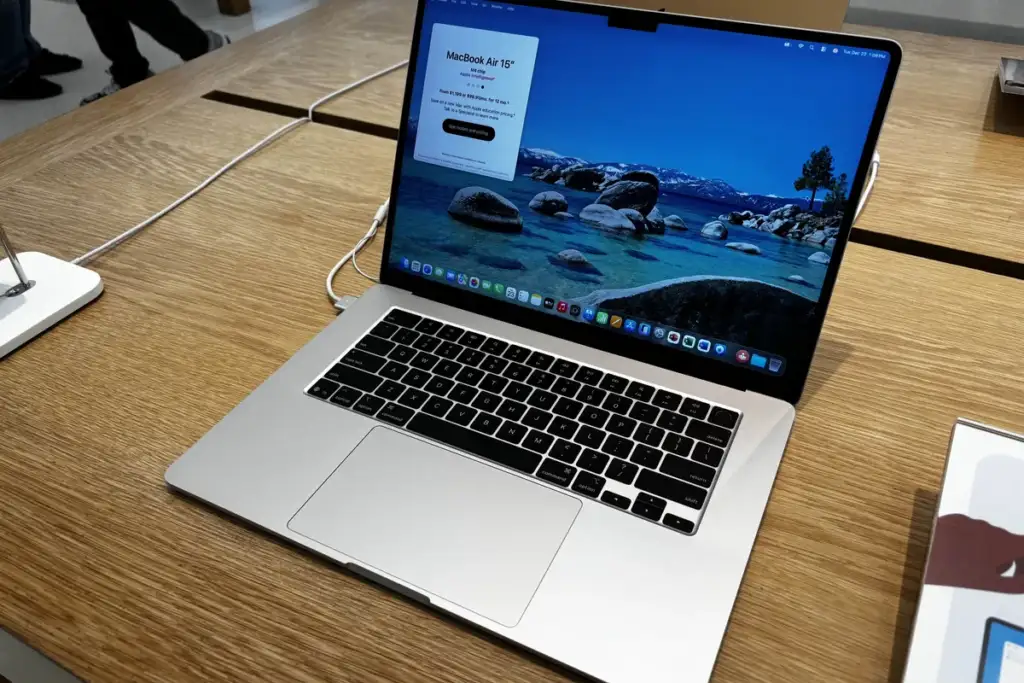
Moving from an older Mac
Migration Assistant copies accounts, applications and files from an old Mac over Wi-Fi or a cable. Two practical notes save a lot of time.
- Use a cable if you can. A Thunderbolt or Ethernet connection turns an overnight transfer into an hour.
- Do not migrate a machine you have been fighting with. If your old Mac has been slow or odd for months, a fresh installation and a manual file copy gives the new one a clean start.
Software written for Intel Macs still runs through Rosetta, Apple translation layer, but five years after the transition almost everything is native.
One thing to check before you order
Configuration pages are easy to rush. The memory choice on this machine is the one decision you cannot revisit, because unified memory is part of the chip package rather than a module you can swap later.
So the question is not whether 16GB is enough today. It is whether 16GB will still be enough in four years, on a machine that will otherwise be perfectly capable then. Software grows, and the laptop cannot.
If you are undecided, the 24GB option is the safer error. It costs money once. The other error costs you the machine.
The short version
Everything above, in five lines.
- A 14 inch MacBook Pro with a new M6 chip, $1,999, shipping 6 November 2026.
- 12 core CPU, 12 core GPU, dual 16 core Neural Engine, 16GB to 32GB of memory.
- Up to 24 hours of video streaming and 16 hours of web browsing.
- Thunderbolt 4 rather than Thunderbolt 5, and no touchscreen.
- Around 25 to 30 percent ahead of M5, and many times ahead of M1.
Common questions
When did the MacBook Pro M6 come out? Apple announced it on 27 October 2026, opened pre-orders on 28 October, and began shipping on 6 November 2026 in 35 countries and regions.
How much does the MacBook Pro M6 cost? It starts at $1,999 in the United States, and $1,899 with education pricing. Apple also offers a lease from $38.99 a month over 36 months.
Does the MacBook Pro M6 have a touchscreen? No. Touch is only on the separate PROLED XDR models, which use the M5 Pro and M5 Max chips rather than the M6.
Is there a 16 inch MacBook Pro M6? Not at launch. Apple lists the M6 for the 14 inch size only. The 16 inch models use the M5 Pro or M5 Max.
How much memory can the MacBook Pro M6 take? 32GB is the maximum. It ships with 16GB, and the 24GB and 32GB options also raise memory bandwidth from 153GB/s to 170GB/s.
Sources and further reading
Where the figures and rules above come from, so you can check them:
- The announcement itself, with Apple own performance figures and footnotes: Apple Newsroom
- Every published MacBook Pro specification, by configuration: Apple, MacBook Pro tech specs
- The MacBook Pro overview, including the PROLED touch models: Apple, MacBook Pro
- MacBook Air specifications and the comparison charts: Apple, MacBook Air
Photo credits: MacBookPro 15 16 by Frankee 67, CC BY-SA 4.0, via Wikimedia Commons. Dell Inspiron 7720 — trackpad fitted by Daniel Beardsmore, Public domain, via Wikimedia Commons. Wafer-scale integrated circuit by Wikideas1, CC0, via Wikimedia Commons. OnePlus 3 USB port and the cable by Porsche 911GT2, CC BY-SA 4.0, via Wikimedia Commons. MacBook Air (15-inch, M4, Silver) by AzureSaturn, CC0, via Wikimedia Commons.


Join the discussion