
The Surface Laptop Ultra is the strangest laptop Microsoft has made in years, and the reason is the chip. It does not use Intel, AMD or Qualcomm. It uses an Nvidia part. Here are eight facts from Microsoft own page, including the figures it chooses not to publish.
Updated October 2026. Prices and configurations change, so check the manufacturer pages linked at the end before you buy anything.
1. There is an Nvidia chip in it
Microsoft calls it the NVIDIA RTX Spark Superchip. Microsoft describes it as combining Nvidia AI, Blackwell RTX graphics, an up to 20 core Nvidia Grace CPU and up to 128GB of unified memory.
A footnote names the graphics part specifically: an NVIDIA RTX Spark N1X with 6,144 GPU cores. Blackwell is Nvidia current graphics architecture, the one used in its data centre and desktop products.
Grace is Nvidia Arm based processor design. Arm is the same family of chip design Apple uses for its M series, and the opposite of the x86 designs Intel and AMD make. That one choice shapes everything else about this machine.
2. It runs Windows on Arm, with a translator
Because the chip is Arm based, the Surface Laptop Ultra runs Windows on Arm. Software written for Intel and AMD processors does not run natively on it.
Microsoft solves that with Prism, which is emulation software. Emulation means translating instructions written for one kind of chip into instructions another kind understands, while the program is running.
Prism is good and it is not free. Translated software is slower than software built for the chip, and a small number of programs, particularly ones with unusual drivers or anti-cheat systems, do not work at all. This is the single biggest practical question to answer before buying.
3. The screen is the headline feature
The Surface Laptop Ultra has a 15 inch PixelSense Ultra touchscreen running at 120Hz, with up to 2,000 nits of peak HDR brightness.
Microsoft calls it “the brightest peak HDR of any laptop”. The footnote is more careful than the banner: 2,000 nits is measured over a 10 percent window with HDR content, compared against laptops commercially available as of October 2026, and sustained and SDR brightness are lower.
A 10 percent window means the brightness is measured on a small bright patch, not the whole screen lit white. That is how peak HDR brightness is normally measured, and it is why the number is so much larger than what you see day to day. MacRumors describes the panel as mini-LED. Microsoft page does not name the panel type or give a resolution.
4. Touch yes, pen no
The screen is a touchscreen, but a footnote limits it: it is “optimized for touch interaction only”, and pen input, including the Surface Pen, is not supported.
For a Surface device that is genuinely surprising. Pen support has been part of the line identity for a decade. Anyone buying this to draw or annotate should stop here and buy a Surface Pro instead.
5. Memory and storage go very high
The Surface Laptop Ultra starts at 24GB of unified memory and can be configured up to 128GB. Microsoft FAQ lists 24GB, 32GB, 48GB, 64GB and 128GB options. Storage starts at 512GB and reaches 2TB.
Unified memory shared between an Nvidia GPU and an Arm CPU, at up to 128GB, is the real argument for this machine. Workstation laptops with discrete graphics usually have far less memory attached to the GPU, often 8GB or 16GB.
For anyone loading very large AI models, that is a meaningful difference, and it is the thing the Surface Laptop Ultra does that few laptops can.
6. Battery life, stated honestly by Microsoft
Microsoft publishes two figures and names the test for each.
- Up to 15 hours of local video playback.
- Up to 12 hours of active web browsing.
The video test played a 1080p file at 24 frames per second in Windows Media Player at 150 nits with auto brightness off, on a preproduction machine with the 6,144 core GPU, 64GB of memory and a 1TB drive, in September 2026. The browsing test used twelve popular websites across multiple tabs.
Those are considerably lower than the 24 hours Apple quotes for the MacBook Pro M6. They are also measured differently, so the gap is not quite as wide as the raw numbers suggest.
Battery figures only mean something with the test attached. Apple measures video streaming by playing 1080p content in Safari, and wireless web by browsing 25 popular websites, both with the screen 8 clicks from the bottom. Microsoft measures video by playing a 1080p file in Windows Media Player at 150 nits, and web browsing across twelve popular sites in multiple tabs. Those are different tests, so the hours are not directly comparable.
7. Ports, weight and a genuinely new charger
Microsoft has given this machine the port selection people have asked for.
- Three USB-C ports with USB4.
- One USB-A port.
- HDMI.
- An SD card reader.
- A 3.5 mm headphone jack.
Charging uses what Microsoft calls the world first built-in magnetic USB-C charging port, with a 140W power adapter in the box. A magnetic charging port that is also a standard USB-C port is a sensible idea: the cable pulls free if someone trips over it, and you can still charge from any USB-C charger.
The machine is under 4.5 pounds and under 18 mm thick. Microsoft does not publish an exact weight. MacRumors says it is lighter than the 16 inch MacBook Pro.
8. The numbers Microsoft leaves out
Several specifications that buyers would normally expect are simply absent from the product page.
- No NPU TOPS figure. Microsoft confirms it is a Copilot+ PC with an integrated NPU, but gives no rating. One footnote mentions theoretical FP4 TOPS using the sparsity feature without a number attached.
- No screen resolution.
- No panel type.
- No Wi-Fi or Bluetooth version.
- No exact weight, and no top configuration price.
That is a lot of blanks for a flagship. It is worth knowing about before you compare this machine with anything else on a spreadsheet.
What Microsoft says about MacBooks
Microsoft is not subtle about the target. The product page carries a banner reading “Break up with your MacBook and get up to $1,000”, which is a trade-in promotion running from 7 October to 23 November 2026.
MacRumors adds the direct comparisons Microsoft made at launch: peak HDR brightness 25 percent higher than the M5 MacBook Pro, and a $2,599 starting price undercutting the $2,999 16 inch MacBook Pro.
Our full Surface against MacBook comparison goes through how those claims hold up once you line up the specifications.
Cooling, and why it is mentioned
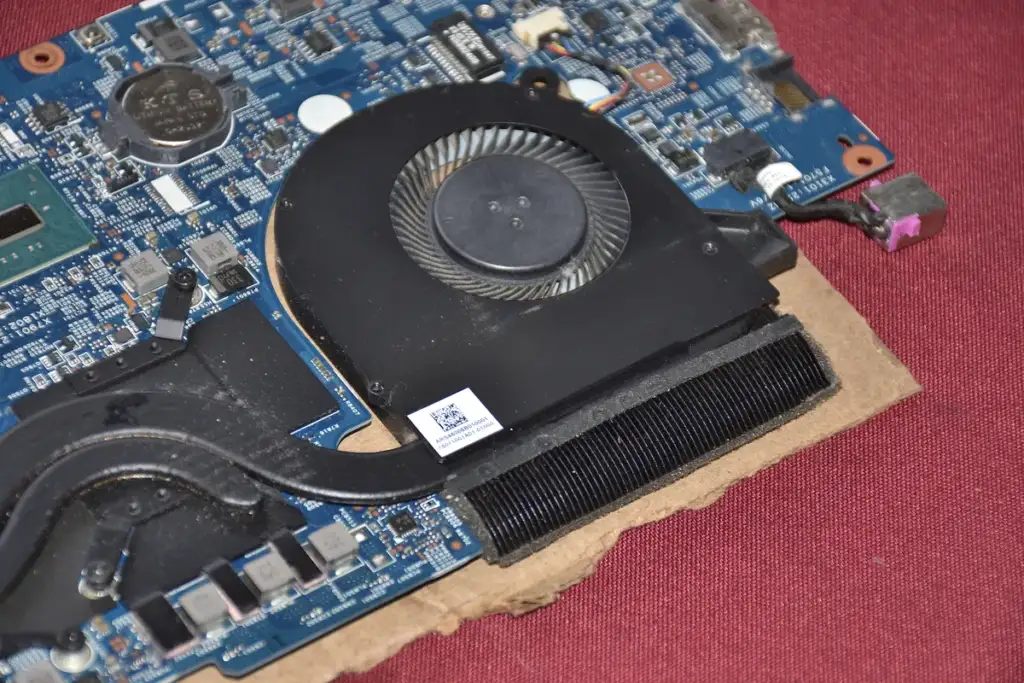
Microsoft says the Surface Laptop Ultra has up to 2.5 times the thermal capacity of the 15 inch Surface Laptop from the 8th Edition line.
Thermal capacity is how much heat a machine can move before it has to slow down. Quoting it is a signal: this chip produces real heat, and Microsoft wants you to know it has planned for that. A 140W charger points the same way.
Expect fan noise under load. That is the trade for putting workstation class graphics in a laptop under 18 mm thick.
Who the Surface Laptop Ultra is for
This is a specialist machine wearing a mainstream badge.
- Right for: developers working with large AI models who want Windows, people who need 64GB or more of memory attached to a capable GPU, and anyone who values an extremely bright HDR screen.
- Wrong for: anyone who needs pen input, anyone running specialist x86 software with unusual drivers, and anyone buying mainly on battery life.
Windows on Arm, in practice rather than in theory
This deserves more than one paragraph, because it is the thing most likely to disappoint a buyer who did not check.
A processor understands one set of instructions. Intel and AMD chips use x86. Apple M series and Nvidia Grace use Arm. A program compiled for one does not run on the other without help.
Prism is that help. It reads x86 instructions and converts them to Arm ones while the program runs. Modern emulation is impressively good, and a converted program still does more work than a native one, so it is slower and uses more battery.
What generally works
- Web browsers, including Chrome and Edge, which have native Arm builds.
- Microsoft Office, natively.
- Most mainstream productivity software released or updated recently.
- Older everyday x86 applications, through Prism, at reduced speed.
What causes trouble
- Software that installs its own low level drivers, because drivers cannot be emulated.
- Games with kernel level anti-cheat systems, for the same reason.
- Specialist industrial, scientific or audio tools with hardware dongles.
- Virtual machines expecting x86 guests.
The test is simple and nobody does it: write down the five programs you cannot work without, and search each one with the words Windows on Arm before you spend anything.
Why Microsoft went to Nvidia
Microsoft could have used Intel, AMD or Qualcomm, as it does everywhere else in the Surface line. Choosing Nvidia is a statement about what this machine is for.
Nvidia graphics hardware is the default for AI work almost everywhere else, from data centres to desktop workstations. Developers writing AI software target it first. Putting that architecture in a thin laptop, with up to 128GB of memory the graphics can reach directly, removes the usual laptop compromise where the GPU has its own small pool of memory.
The cost of that decision is the rest of this article. An Nvidia Grace CPU means Arm, Arm means Prism, and workstation graphics mean 15 hours of battery rather than 22.5.
How it compares with a gaming laptop
A gaming laptop with a discrete Nvidia GPU is the obvious alternative, and the differences are real.
- Memory. A gaming laptop usually gives its GPU 8GB or 16GB of dedicated memory. The Surface Laptop Ultra shares up to 128GB.
- Compatibility. A gaming laptop runs x86 Windows, so everything works, including the anti-cheat systems that fail here.
- Size and noise. The Surface is under 18 mm thick. Few gaming laptops are.
- Price. Capable gaming laptops exist well below $2,599.99.
For gaming, buy the gaming laptop. For large AI models in a bag you can carry, the memory architecture here is genuinely hard to replicate.
What to check before you buy a Surface Laptop Ultra
Six questions, in the order that most often ends the conversation.
- Does your essential software run on Windows on Arm?
- Do you need pen input? If yes, this is the wrong Surface.
- How many hours away from power do you need? Twelve of browsing is the published figure.
- How much memory do you actually need? It cannot be added later.
- Is the screen the reason you are buying? If so, note that Microsoft publishes no resolution for it.
- Have you priced the configuration you want, rather than the entry one?

What the Surface Laptop Ultra tells us about laptops generally
Three things about this machine are signals about the whole market rather than quirks of one product.
- Arm has won the premium laptop argument. Apple moved in 2020, Qualcomm followed, and now Nvidia is in a Surface. The x86 architecture is no longer the default for a thin, expensive laptop.
- Unified memory is becoming the headline specification. Not processor speed, not core counts. How much memory the graphics can reach directly, and how fast.
- Battery life is being traded away again. After five years of improvement, a flagship has arrived quoting 15 hours where its cheaper sibling quotes 22.5.
That third point is the one buyers should weigh most carefully, because long battery life is the thing people say they value and then trade away for performance they rarely use.
The question to ask yourself first
Before any specification comparison, answer this: do you actually load models larger than 32GB can hold?
If yes, the Surface Laptop Ultra does something almost nothing else in this form factor does, and the compromises are the price of that. If no, you are buying a heavy, shorter lived battery and an emulation layer in exchange for capability you will not use.
The one specification that decides this purchase
Strip away the screen, the ports and the charger, and the Surface Laptop Ultra rests on a single number: up to 128GB of unified memory that capable graphics can reach directly.
Almost nothing else in this size and weight offers that. Mobile workstations with discrete graphics usually give the GPU 8GB or 16GB of its own memory, and a MacBook Pro with M6 stops at 32GB for the whole machine.
If that number is the reason you are reading, the compromises here are the price of something genuinely rare. If it is not, almost every compromise in this article is being paid for nothing.
The short version
Everything above, in five lines.
- A 15 inch Windows laptop with an Nvidia RTX Spark Superchip, from $2,599.99.
- 24GB to 128GB of unified memory, 512GB to 2TB of storage.
- A 120Hz touchscreen reaching 2,000 nits peak HDR, with no pen support.
- Up to 15 hours of video playback and 12 hours of web browsing.
- It runs Windows on Arm, so some x86 software is emulated or unavailable.
Common questions
When did the Surface Laptop Ultra come out? MacRumors reported that Microsoft announced pricing and timing on 7 October 2026, with the machine launching on 16 October 2026.
How much does the Surface Laptop Ultra cost? It starts at $2,599.99. Microsoft does not publish a price for the top 128GB configuration on its product page.
What chip is in the Surface Laptop Ultra? An NVIDIA RTX Spark Superchip, combining Blackwell RTX graphics with an up to 20 core Nvidia Grace CPU. A footnote names a 6,144 core GPU.
Does the Surface Laptop Ultra support the Surface Pen? No. Microsoft footnote says the display is optimised for touch interaction only and that pen input is not supported.
Will all my Windows programs run on it? Most will, through Microsoft Prism emulation, but translated software runs slower and a few programs with unusual drivers do not work at all.
Sources and further reading
Where the figures and rules above come from, so you can check them:
- Microsoft own page for the Surface Laptop Ultra, including the footnotes: Microsoft, Surface Laptop Ultra
- Launch date, the mini-LED description and the price comparison: MacRumors
- Prices, screen sizes and battery figures for the Surface Laptop line: Microsoft, Surface Laptop
Photo credits: Surface Laptop Studio – 3 by KKPCW, CC BY-SA 4.0, via Wikimedia Commons. MSI GeForce RTX 3070 VENTUS 3X OC by TheStriker, CC BY 4.0, via Wikimedia Commons. Razer Blade Pro 17 (2020 model) with backplate removed by Benlisquare, CC BY-SA 4.0, via Wikimedia Commons. Laptop Heatsink by Saud, CC BY-SA 4.0, via Wikimedia Commons. Microsoft campus – panoramio by logopop, CC BY-SA 3.0, via Wikimedia Commons.



Join the discussion