
October 2026 gave both sides a new flagship, so a Surface Laptop vs MacBook comparison is finally worth doing with real numbers instead of rumours. This article uses published specifications only, says where the figures are not comparable, and ends with the question that actually decides it.
Updated October 2026. Prices and configurations change, so check the manufacturer pages linked at the end before you buy anything.
1. The machines in this Surface Laptop vs MacBook comparison
Both companies now sell at two levels, so matching them up matters.
- Apple: the 14 inch MacBook Pro with M6 at $1,999, and the PROLED touchscreen models using M5 Pro and M5 Max at a price Apple has not published.
- Microsoft: the Surface Laptop line at $1,199.99 to $1,699.99, and the Surface Laptop Ultra at $2,599.99.
The fair fight is Surface Laptop Ultra against MacBook Pro, and Surface Laptop against MacBook Air. Comparing the $1,199.99 Surface with a $2,899 Apple machine tells you nothing. Our guide to the MacBook Pro M6 sets out the Apple side on its own.
2. The chips are built on different bets
This is the most interesting difference and it is not about speed.
Apple M6 is a single integrated design: a 12 core CPU, a 12 core GPU with Neural Accelerators, and a dual 16 core Neural Engine, sharing 16GB to 32GB of memory.
The Surface Laptop Ultra uses an NVIDIA RTX Spark Superchip: Blackwell RTX graphics with a 6,144 core GPU, an up to 20 core Nvidia Grace CPU, and up to 128GB of unified memory.
Apple has built a balanced chip for a thin laptop. Nvidia has put most of a graphics workstation into one, and Microsoft has given it four times Apple memory ceiling. Both are Arm designs, which is a change from how this comparison looked three years ago.
3. Screens, where the numbers finally line up
Both companies quote peak HDR brightness, so this is one of the few honest direct comparisons available.
- MacBook Pro M6: 14.2 inch mini-LED, 3024 by 1964, up to 1,000 nits sustained and 1,600 nits peak HDR, 1,000,000 to 1 contrast, up to 120Hz.
- Touchscreen MacBook Pro: tandem OLED, up to 1,000 nits sustained and 2,000 nits peak for HDR and SDR, 10,000,000 to 1 contrast, 10 to 120Hz.
- Surface Laptop Ultra: 15 inch touchscreen, 120Hz, up to 2,000 nits peak HDR. Microsoft publishes no resolution and no panel type.
MacRumors reported Microsoft claiming peak HDR 25 percent higher than the M5 MacBook Pro, which matches 2,000 against 1,600. Against Apple own OLED models, both reach 2,000, and Apple adds that its figure applies to SDR content too.
4. Battery life is not close
This is the clearest gap in the Surface Laptop vs MacBook comparison, and it runs in two directions.
- MacBook Pro M6: up to 24 hours video streaming, 16 hours wireless web.
- Surface Laptop Ultra: up to 15 hours video playback, 12 hours web browsing.
- Surface Laptop 13 inch: up to 22.5 hours video playback, 18 hours web browsing.
So Apple flagship beats Microsoft flagship by about nine hours on video, while Microsoft cheapest machine very nearly matches Apple. The expensive Nvidia graphics are what cost the Ultra its endurance.
One caution. Apple and Microsoft use different tests, so these hours are not strictly comparable even though they are both labelled video playback.
Battery figures only mean something with the test attached. Apple measures video streaming by playing 1080p content in Safari, and wireless web by browsing 25 popular websites, both with the screen 8 clicks from the bottom. Microsoft measures video by playing a 1080p file in Windows Media Player at 150 nits, and web browsing across twelve popular sites in multiple tabs. Those are different tests, so the hours are not directly comparable.
5. AI hardware, where comparison breaks down
Both companies talk constantly about AI and neither gives you what you need to compare them.
- Apple publishes no TOPS figure for any chip, only core counts and comparisons with its own older chips.
- Microsoft publishes no TOPS figure for the Surface Laptop Ultra, though it does publish 80 TOPS for the 13 inch Surface Laptop NPU.
What can be compared is memory, and it is not close. The MacBook Pro M6 tops out at 32GB. The Surface Laptop Ultra reaches 128GB. For loading large models, that is a decisive advantage to Microsoft.
Apple answer is further up its own line: the M5 Max reaches 128GB too, at 614GB/s of bandwidth. So the real comparison for AI work is Surface Laptop Ultra against a MacBook Pro with M5 Max, not against the M6.
6. Ports, and a surprise
The Surface wins this one on variety and the MacBook wins on speed.
- Surface Laptop Ultra: three USB-C with USB4, one USB-A, HDMI, SD card reader, headphone jack, magnetic USB-C charging.
- MacBook Pro M6: three Thunderbolt 4, HDMI, MagSafe 3, SDXC slot, headphone jack.
- Touchscreen MacBook Pro: the same, but with Thunderbolt 5.
USB-A still matters to a lot of people, and Apple has not included one for years. Thunderbolt 5 at 120Gb/s is faster than USB4 as implemented here, but only the more expensive Apple machines have it.
7. The software question that decides it
Everything above is specifications. This is the part that actually determines which machine you should buy.
The Surface Laptop Ultra runs Windows on Arm. Software written for Intel and AMD chips runs through Prism, which translates instructions as the program runs. Most things work. Translated software runs slower, and a few programs with unusual drivers or anti-cheat systems do not run at all.
macOS has been through this. Apple moved to its own chips in 2020 and the software caught up within about two years. Windows on Arm is further along than it was, and it is not finished.
So the honest Surface Laptop vs MacBook answer is: list the five programs you cannot work without, and check each one against Windows on Arm before you spend $2,599.99.
Where each machine clearly wins
Stripped of brand loyalty, the split is unusually clean.
- Buy the Surface Laptop Ultra for up to 128GB of unified memory with capable graphics, a USB-A port, pen free touch, and because your work requires Windows.
- Buy the MacBook Pro M6 for battery life, for a 24 hour working day, for a mature software ecosystem on Arm, and to save $600.
- Buy a Surface Laptop at $1,199.99 to $1,699.99 for the best battery life in this entire comparison at the lowest price.
- Buy a MacBook Air if you want quiet, light and cheap, and do not need a bright screen.
What neither side will tell you
Three things are missing from both marketing stories.
- Sustained performance. Every published figure is a short test. Neither company publishes what happens after an hour under load.
- Real battery life. Video playback at a fixed brightness is not a working day.
- Repairability and memory upgrades. On both platforms the memory you buy is the memory you keep.
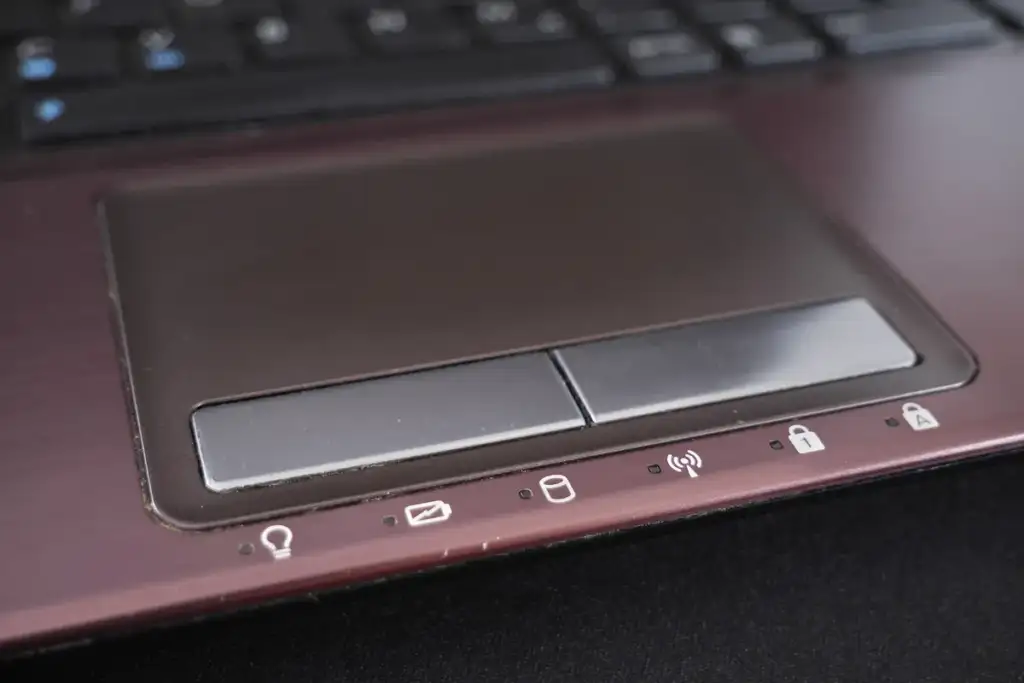
Keyboards, trackpads and the parts you touch
Specification tables ignore the two components your hands are on all day, and they are where the platforms differ most consistently.
Apple trackpads have been the best in the industry for over a decade, mostly because of software rather than hardware. Gesture handling and palm rejection on macOS remain ahead of Windows, and this has not changed with any of the machines in this comparison.
Keyboards are closer, and preference based. Surface keyboards generally have a little more travel. Both are good. Neither is a reason to choose a platform.
The one objective difference: every Surface Laptop in this comparison has a touchscreen, and only Apple PROLED models do. If you have used a touchscreen laptop and liked it, that narrows your Apple options sharply and expensively.
Repairs, support and what happens when it breaks
A laptop at these prices is a three to five year purchase, so this matters more than another benchmark.
- Apple has physical stores in many countries, which makes in-person repair straightforward where they exist and irrelevant where they do not.
- Microsoft handles Surface support mostly by mail and through partners, with business support contracts that are generally better than the consumer equivalent.
- Both solder memory and storage, so neither can be upgraded and a failed drive is a board repair.
Check what support actually exists where you live before assuming either answer.
Management and security in a company
For personal buyers this section is irrelevant. For anyone choosing laptops for a team it usually decides the whole question.
Windows machines integrate with the device management systems most companies already run. Policies, updates and encryption are handled through tools the IT team knows. Mac management has improved enormously and is still a second system to learn and pay for.
That is why a Surface Laptop vs MacBook decision inside a company often goes to the Surface even when individuals would choose the MacBook. It is not about the hardware at all.
A decision table
If you want one line per situation, this is the whole comparison.
- You need Windows software: Surface. The question ends there.
- You need the longest battery life: MacBook Pro M6, or a 13 inch Surface Laptop if budget matters more.
- You need more than 32GB with strong graphics: Surface Laptop Ultra, or a MacBook Pro with M5 Max.
- You want a touchscreen without paying Apple PROLED prices: Surface.
- You want the best screen regardless of cost: a PROLED MacBook Pro.
- You want the most laptop for the least money: the 13.8 inch Surface Laptop at $1,399.99.
What has changed since the last time you compared these
If you last looked two or three years ago, three things are genuinely different and they all narrow the gap.
- Both sides are now Arm. The architecture argument that made Apple laptops so much more efficient applies to the Surface line too.
- Windows on Arm software support is much better. Not finished, but no longer the dealbreaker it was in 2022.
- Microsoft is competing on screens. A 2,000 nit panel in a Surface would have been unthinkable in the last generation.
What has not changed is the trackpad gap, and the fact that macOS software still runs natively on Apple silicon while a slice of Windows software does not.

How to run this comparison for yourself
Specifications take you most of the way and then stop. Four steps finish the job, and all of them are free.
- List your five essential programs. Check each against macOS and against Windows on Arm. This eliminates one platform for a surprising number of people in about ten minutes.
- Decide whether you need touch. If yes, the Apple options are limited to PROLED models and expensive.
- Work out your real battery requirement. Hours away from a plug, honestly counted, not hours you imagine.
- Set your memory floor. Then price both platforms at that memory, not at their starting configurations.
Most people who do this find the decision has already been made by step one, which is why arguing about chip benchmarks is usually the least useful part of the conversation.
The thing neither company advertises
Both platforms are now good enough that the machine is rarely what limits your work. That is a genuinely new situation.
A $1,399.99 Surface Laptop and a $1,999 MacBook Pro will both open your files instantly, run a video call without complaint, and last a working day. The differences this article has spent several thousand words on are real and they are small next to that.
Which means the sensible way to choose is on the things you touch and look at all day: the keyboard, the trackpad, the screen, the weight in a bag, and whether the software you depend on runs natively. Everything else is detail.
What to do if you still cannot decide
When a comparison stays this close, the tie-breaker is usually not a specification at all.
Go and handle both. Type a paragraph on each keyboard, scroll a long page on each trackpad, and pick the machine up the way you would carry it. Those three things decide how a laptop feels for years, and no table can convey them.
If handling both is impossible, buy from somewhere with a real return policy and treat the first two weeks as the test. That is better advice than any chart, and it costs nothing.
And keep the receipt. Whichever side you choose, the first fortnight tells you more than a month of reading did, and a laptop that turns out to be wrong for your work is only an expensive mistake if you keep it.
The short version
Everything above, in five lines.
- MacBook Pro M6 at $1,999 beats Surface Laptop Ultra at $2,599.99 on battery by about nine hours.
- Surface Laptop Ultra reaches 128GB of memory against 32GB on the M6.
- Both quote 2,000 nits peak HDR at the top of their lines.
- Neither publishes a comparable AI performance figure.
- Windows on Arm software compatibility is the thing to check before buying.
Common questions
Is a Surface Laptop better than a MacBook? Neither is better overall. The Surface Laptop Ultra offers up to 128GB of memory and a USB-A port, while the MacBook Pro M6 offers far longer battery life and costs $600 less.
Which has better battery life? Apple. The MacBook Pro M6 quotes up to 24 hours of video streaming against up to 15 hours for the Surface Laptop Ultra, though the tests differ.
Which is better for AI work? The Surface Laptop Ultra reaches 128GB of unified memory against 32GB on the MacBook Pro M6, which matters for large models. A MacBook Pro with M5 Max also reaches 128GB and is the fairer Apple comparison.
Will my Windows software run on the Surface Laptop Ultra? Most will, through Microsoft Prism emulation. Translated software runs slower, and some programs with unusual drivers do not run at all.
Do both have touchscreens? The Surface Laptop line is touch throughout. On Apple, only the PROLED models have touch, and the 14 inch MacBook Pro with M6 does not.
Sources and further reading
Where the figures and rules above come from, so you can check them:
- Microsoft own page for the Surface Laptop Ultra, including the footnotes: Microsoft, Surface Laptop Ultra
- Every published MacBook Pro specification, by configuration: Apple, MacBook Pro tech specs
- Prices, screen sizes and battery figures for the Surface Laptop line: Microsoft, Surface Laptop
- Launch date, the mini-LED description and the price comparison: MacRumors
Photo credits: A laptop on the wooden table (2, Pixabay) by By Free-Photos from Pixabay, CC0, via Wikimedia Commons. Laptop Programmcode by Negative Space, CC0, via Wikimedia Commons. IMac and MacBook by Patryk Sobczak patryksobczak, CC0, via Wikimedia Commons. Laptop touchpad 20190320 by Santeri Viinamäki, CC BY-SA 4.0, via Wikimedia Commons. Helloquence-61189 by helloquence, CC0, via Wikimedia Commons.

Join the discussion