

Choosing a security camera is usually presented as a resolution contest. The harder questions are where the footage lives, whether the alerts are worth reading, and what the law expects of you once the lens sees past your own boundary. That last one surprises people, because a doorbell camera pointed at a shared path is doing something a regulator has written detailed guidance about.
Updated October 2026. General information, not legal advice. Data protection and recording law differ by country and by US state; check the rules that apply where you live.
Where the footage lives decides most of the behaviour
Cloud, local, or both. The difference shows up at the worst moment. Google documents that a Nest camera stores events in its internal memory when it is offline, then uploads them to the cloud and removes the local copy once it reconnects. It also notes that a wired model without a backup battery cannot record during a power cut, while battery-powered models can record a limited window of events on backup power.
That is the pattern across the category. Cloud storage survives the theft of the camera but not an internet outage. Local storage on a card or recorder survives an outage but not a burglar who takes the recorder. Any serious setup does both. If your connection is the weak link, our guide to why your wifi is slow is worth reading before you add four video streams to it.
Open standards, or a product you cannot replace
A camera that speaks only to one app is a camera you will replace entirely when that app changes. ONVIF exists for this reason. Its stated mission is to provide and promote standardised interfaces for interoperability of IP-based physical security products, and its profiles divide the work: Profile S covers basic video streaming, Profile T covers advanced streaming, Profile G covers edge storage and retrieval, with further profiles for access control and analytics metadata.
If you intend to keep a system for a decade, buying cameras that list ONVIF Profile S or T conformance means the recorder and the cameras can be replaced independently. If you want something that works in ten minutes and you accept replacing the whole set later, a closed ecosystem is a reasonable trade. Decide which of those you are doing before you buy, not after.
Alerts you will actually read
A motion trigger fires on rain, headlights, cats and moving branches. People then stop reading the notifications, which converts an expensive system into a very slow archive. Object classification, where the camera distinguishes a person or a vehicle from generic motion, is the single feature that most changes whether a system stays useful after a fortnight.
Check two things about it. First, whether classification runs on the camera or in the cloud, because the cloud version usually needs a subscription and stops when the connection does. Second, whether you can draw activity zones, so the pavement outside your gate does not generate an alert every time someone walks a dog. Zones also serve the privacy purpose described below.
Privacy and the law: what a security camera owner owes other people
The UK Information Commissioner’s Office has published the clearest householder guidance, and the trigger is the boundary. Its position is that where a camera captures someone else’s property, a public area or a communal space, data protection law applies. Owners should position cameras to capture only their own property where possible, and use filters or privacy blockers to blur or block part of the footage where it is not.
Once the law does apply, a short list of duties follows. You need a legitimate reason for recording. You should not capture more than you need. You should put up signage indicating that recording is taking place. You must be able to give someone a copy of footage they appear in, and the ICO says such requests should be answered within one month. You should delete footage regularly or automatically, and you should stop recording if someone objects and you have no strong justification for continuing.
Audio deserves separate thought, because regulators treat it as a step up in intrusiveness. The ICO’s surveillance guidance states that “the use of audio recording, particularly where it is continuous, is considered more privacy intrusive than purely visual recording”, expects audio capabilities to be switched off by default, and says surveillance systems should not normally be used to record conversations between members of the public.
In the United States the framing differs but the caution is the same. Federal law under 18 U.S.C. 2511 permits interception by a person who is a party to the communication or where one party has consented, and the Department of Justice’s own manual relies on that one-party consent rule. Several states require the consent of all parties instead, which is why a doorbell recording a conversation on a front step can be legally awkward in one state and unremarkable in the next. Check your state law, and consider leaving audio off.
7 checks before you buy a security camera
- Decide storage first. Local, cloud, or both. Ask what happens during an internet outage and during a power cut, and whether footage survives the camera being stolen.
- Check the subscription boundary. Work out which features stop working if you stop paying, especially event history and person detection.
- Insist on person and vehicle classification plus activity zones. Generic motion alerts are the reason most systems get ignored.
- Point it at your own property. The ICO advises exactly this, and privacy masking for the parts you cannot avoid capturing.
- Leave audio off unless you can justify it. Regulators treat continuous audio as more intrusive, and some US states require all-party consent to record a conversation.
- Put up a sign and set a retention period. Signage and routine deletion are both on the ICO’s list of what a householder should do once the camera sees beyond the boundary.
- Prefer ONVIF conformance if you want longevity. Profile S or T lets you replace cameras and recorders independently instead of all at once.
Placement beats specification
A camera at head height covering the approach to a door produces identifiable faces. The same camera on a roofline produces a record that somebody wearing a hat visited. Cover entrances, routes and the places where people must pause, rather than open ground. Light matters more than megapixels, because detail in darkness is a function of the sensor and the illumination, not the pixel count. And remember that cameras are evidence rather than prevention, which is why they belong alongside locks and lighting in a wider smart home setup rather than instead of them. If you are thinking about what else in the house is listening, our piece on what smart speakers hear covers the audio side of the same question.
Common questions
Is it legal to point a security camera at my neighbour’s property? In the UK the ICO advises positioning cameras to capture only your own property where possible. Once a camera captures someone else’s property, a public area or a communal space, data protection law applies and duties such as signage, limited retention and answering requests for footage follow.
Can my camera record audio? Technically usually yes, legally it depends. The ICO treats continuous audio as more intrusive than video and expects it off by default. In the US, federal law allows one-party consent but several states require all parties to consent, so check your state rules.
Do I need 4K? Rarely. Higher resolution raises storage and bandwidth demands sharply, and placement, lens coverage and lighting do more for identification than pixel count. Spend the budget on a better position and better illumination.
What happens to recordings if the internet goes down? It depends on the model. Google documents that Nest cameras buffer events locally while offline and upload them on reconnection, and that a wired camera without a backup battery cannot record during a power cut at all.
How long should I keep footage? No fixed period is set in law. The ICO notes that UK data protection law does not prescribe minimum or maximum retention periods and that the purpose of the processing should determine how long you keep it, so set a short automatic deletion window and extend only for a specific reason.
Sources and further reading
Where the figures and rules above come from, so you can check them:
- When data protection law applies to home CCTV, positioning, signage, retention and responding to requests for footage: Information Commissioner’s Office
- Audio recording treated as more intrusive, audio off by default, recording conversations, and retention periods: ICO guidance on video surveillance
- The one-party consent provision for interception of oral communications: 18 U.S.C. 2511, Cornell Legal Information Institute
- Reliance on the federal one-party consent rule for consensual monitoring: US Department of Justice, Justice Manual
- Mission statement and the Profile S, T and G definitions: ONVIF
- Offline buffering, upload on reconnection and behaviour during a power cut: Google Nest Help
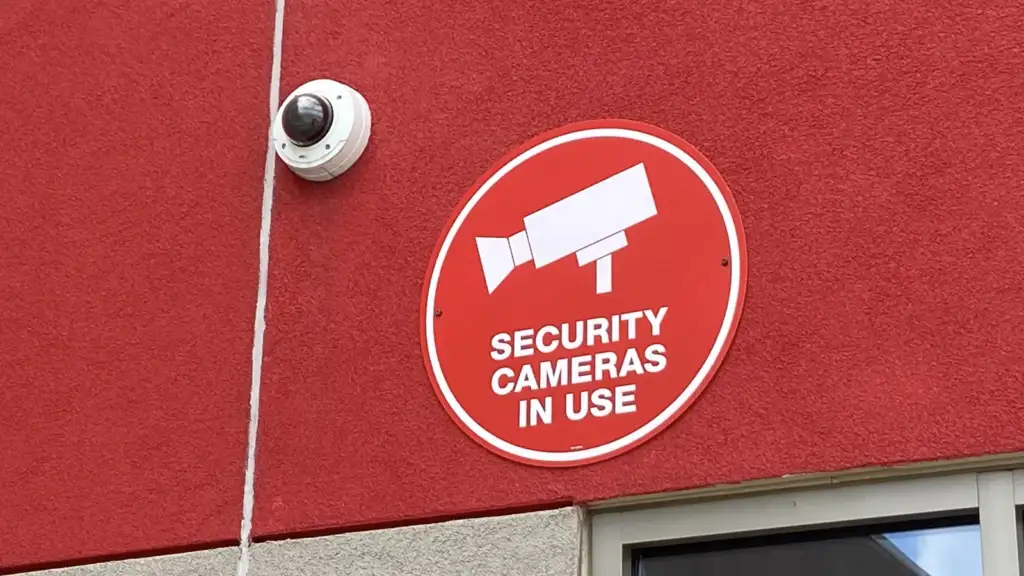
Photo credit: Vandal dome-style security camera next to signage on exterior of Target store by Myotus, CC BY-SA 4.0, via Wikimedia Commons.



Join the discussion