

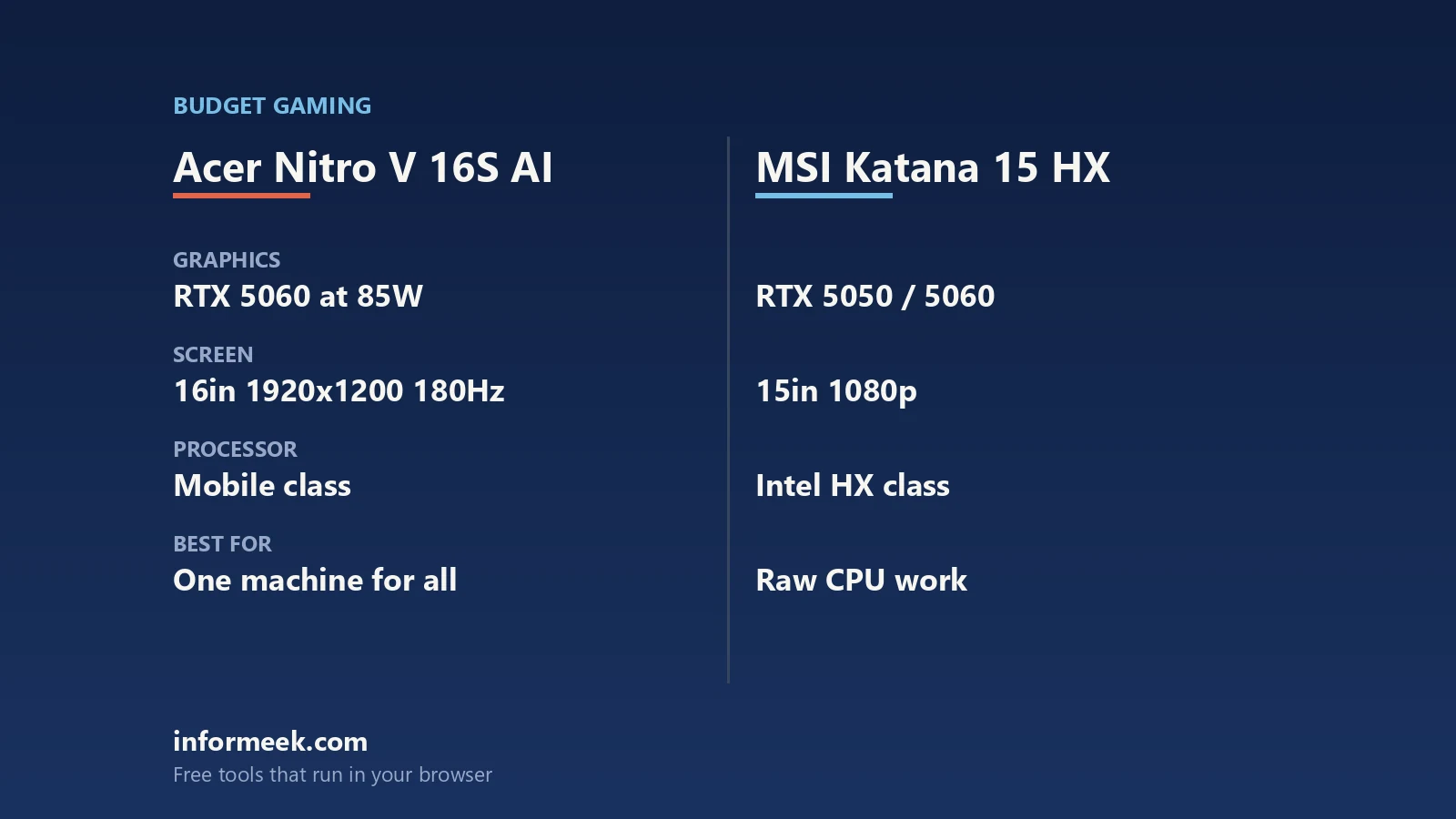
Nitro V 16S vs MSI Katana 15 HX is a comparison between two different ideas of a mid-range gaming laptop rather than between a better and a worse machine. One is a slim 16 inch chassis built around an efficient mobile processor; the other is a thicker 15 inch machine built around a desktop class HX part. This piece compares what each manufacturer publishes, explains what the numbers mean for heat, noise and longevity, and flags the one specification neither of them puts on the front page.
Updated October 2026. Specifications and configurations vary by region and model number; check the exact SKU before buying. No benchmark results or review verdicts are stated here.
What each machine actually is, on paper
Acer’s own launch material for the Nitro V 16S AI lists the model as ANV16S-61 with an AMD Ryzen AI 9 365 processor and a choice of GeForce RTX 5070 or RTX 5060 Laptop GPU. Display options run to 16 inch 16:10 panels: WQXGA at 2560 by 1600, 180 Hz, 400 nits and 100 percent sRGB with a 3 ms response time, a WUXGA 1920 by 1200 panel at the same 180 Hz and 400 nits, and a lower WUXGA option at 165 Hz and 300 nits. It takes up to 32 GB of DDR5 at 5600 MT/s across two DIMM slots and up to 2 TB of PCIe Gen 4 SSD across two slots. Acer gives the weight as 2.1 kg, the thickness as 13.95 to 19.95 mm, the battery as 76 Whr, and connectivity as Wi-Fi 6E with Bluetooth 5.2 plus a USB4 Type-C port.
MSI’s store listing for a Katana 15 HX B14WFK configuration gives an Intel Core i7-14650HX on the Intel HM770 chipset with a GeForce RTX 5060 Laptop GPU, a 15.6 inch QHD 2560 by 1440 panel at 165 Hz with 100 percent DCI-P3 typical, DDR5-5600 memory in two slots supporting up to 96 GB, a single M.2 NVMe PCIe Gen 4 slot, Intel Wi-Fi 6E AX211 with Bluetooth 5.3, a 4 cell 75 Whr battery, dimensions of 359 by 262 by 25.5 mm and a weight of 2.4 kg. Ports are one USB-C 3.2 Gen 2 with DisplayPort and Power Delivery 3.0, three USB-A 3.2 Gen 2, HDMI 2.1 and RJ45, and the listing notes a MUX design.
Nitro V 16S vs MSI Katana 15 HX: 6 simple trade-offs
- Processor class. AMD lists the Ryzen AI 9 365 as 10 cores and 20 threads built from four Zen 5 and six Zen 5c cores, boost up to 5 GHz, 24 MB of L3, a default TDP of 28 W and a configurable range of 15 to 54 W. Intel’s HX-series product brief gives the Core i7-14650HX as 16 cores in an 8 plus 8 arrangement, 24 threads, 30 MB of Smart Cache, P-cores up to 5.2 GHz, a processor base power of 55 W and a maximum turbo power of 157 W. That is a different thermal problem, not a small increment.
- Where the power budget goes. A chassis has one cooling budget. A CPU rated to 157 W of turbo power is competing with the GPU for it; one rated to 54 W at most is not. That is the real reason the HX machine is thicker.
- Screen priorities. The Katana configuration above is 15.6 inch 16:9 QHD at 165 Hz with a wide gamut claim. The Nitro V 16S is 16 inch 16:10, which gives more vertical space for work, with 180 Hz and a stated 400 nits on the better panels.
- Upgrade paths. Both take two memory modules. Acer lists two SSD slots and up to 2 TB; the MSI configuration lists one M.2 slot but a far higher memory ceiling of 96 GB. Decide which of those you will actually use.
- Portability and battery. 2.1 kg and under 20 mm against 2.4 kg and 25.5 mm, with 76 Whr against 75 Whr. Neither is a long battery life machine, but one is noticeably easier to carry.
- Ports and wireless. The Nitro V 16S lists USB4 Type-C, which brings higher bandwidth docking; the Katana lists USB-C 3.2 Gen 2 with DisplayPort and Power Delivery plus wired Ethernet. Bluetooth is 5.2 against 5.3.
The number neither spec sheet leads with
Both machines can be bought with a GeForce RTX 5060 Laptop GPU, and that name alone does not determine performance. NVIDIA’s own laptop comparison table gives the RTX 5060 Laptop GPU as 3,328 CUDA cores, 8 GB of GDDR7 on a 128 bit interface, a boost clock range of 1,455 to 2,497 MHz and a GPU subsystem power range of 45 to 100 W. The RTX 5070 Laptop GPU is listed at 50 to 100 W and the RTX 5050 at 35 to 100 W. The band is more than twice as wide at the bottom as at the top, and where a given laptop sits inside it is set by the manufacturer.
So the specification to hunt for is the graphics power figure, often labelled total graphics power or maximum graphics power, sometimes with a separate Dynamic Boost allowance. Neither the Acer press release nor the MSI listing quoted above states it, which is normal and is exactly why you should look it up for the precise SKU on the retailer page or the manufacturer model page before paying. Two laptops with identical GPU names and a 30 W gap between them are not the same product. Our comparison of the RTX 5050 and RTX 5060 in laptops goes through the same point in more depth.
Which of these two gaming laptops suits which buyer
- Choose the slim 16 inch machine if the laptop moves around, you work on it as well as play, and you value a 16:10 panel, lower weight and a quieter thermal design over peak processor throughput.
- Choose the HX machine if it mostly sits on a desk and you run heavily threaded work such as compiling, video encoding or simulation alongside games, where 24 threads and a 157 W turbo ceiling genuinely pay off.
- Either way, check the graphics power figure and treat it as part of the price comparison rather than a footnote.
- Check the panel on the exact SKU. Both ranges ship several panels, and the cheapest configuration is usually the dimmer one.
- Check the storage slot count if you expect to add a second drive later rather than replace the first.
If you are still deciding on screen size in general, our piece on 16 inch versus 15 inch gaming laptops covers the ergonomics, and new versus refurbished covers the other way of getting more hardware for the money.
Common questions
Does Nitro V 16S vs MSI Katana 15 HX have a clear winner? No. On published specifications one is lighter with a 16:10 screen and a lower power processor, and the other has a desktop class HX chip with more cores and a far higher turbo power ceiling in a thicker chassis.
Is the HX processor always faster? On heavily threaded work it has more resources: 16 cores, 24 threads and a 157 W maximum turbo power against 10 cores, 20 threads and a 15 to 54 W configurable range. Whether a given chassis can sustain that is a cooling question, and no published specification answers it.
Do both laptops take the same RTX 5060? They can carry the same GPU name. NVIDIA lists the RTX 5060 Laptop GPU with a subsystem power range of 45 to 100 W, so the same name can mean very different configurations. Look for the graphics power figure on the specific model.
Which has the better screen? They optimise differently. The MSI configuration listed here is 15.6 inch QHD at 165 Hz with a 100 percent DCI-P3 typical claim; the Acer is 16 inch 16:10 at up to 180 Hz and 400 nits with 100 percent sRGB.
Which is more upgradable, and which is easier to carry? Acer lists two SSD slots and up to 2 TB with up to 32 GB of memory across two DIMMs; the MSI listing shows one M.2 slot but a 96 GB memory ceiling. On weight the Acer is lighter, at 2.1 kg and 13.95 to 19.95 mm against 2.4 kg and 25.5 mm.
Sources and further reading
Where the figures and rules above come from, so you can check them:
- Nitro V 16S AI (ANV16S-61) specification table, displays, memory, weight and battery: Acer press release, 15 April 2025
- Katana 15 HX B14WFK specification table, display, memory, storage and ports: MSI official store
- RTX 5050, 5060 and 5070 Laptop GPU CUDA cores, memory and GPU subsystem power ranges: NVIDIA
- Core i7-14650HX cores, threads, cache, frequencies, base power and turbo power: Intel HX-series (14th gen) product brief
- Ryzen AI 9 365 cores, threads, boost clock, cache and configurable TDP: AMD
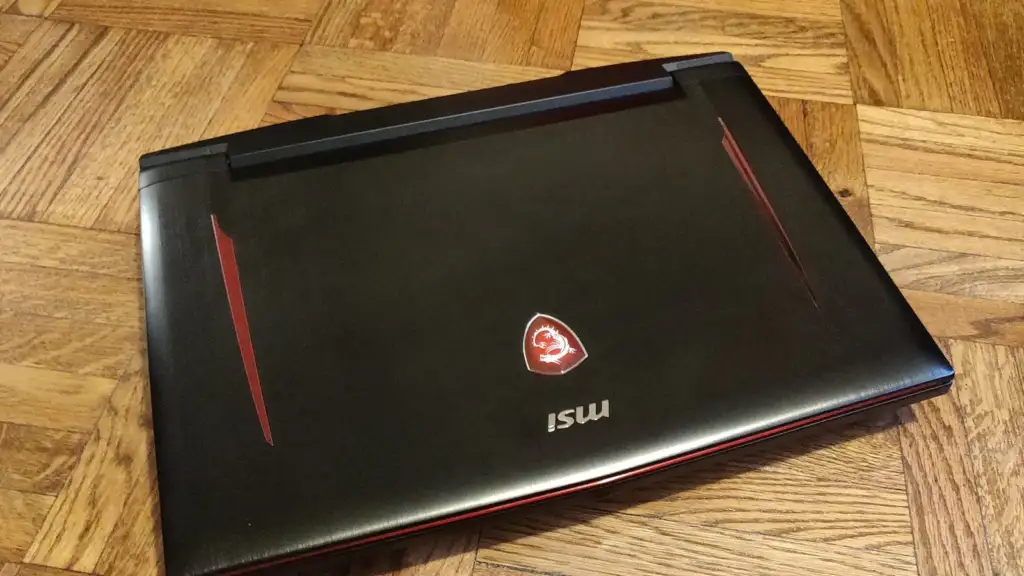
Photo credit: MSI Gaming Laptop on wood floor by Kurt Kaiser, CC0, via Wikimedia Commons.

Join the discussion