

IdeaPad 3i vs Acer Aspire 15 is the question most budget 15 inch shoppers end up asking, and the honest answer is that these two families now solve the problem in genuinely different ways. One is a conventional x86 laptop with memory and storage you can add to. The other, in its newest form, is an Arm machine built for quiet operation and battery life with its memory fixed at purchase. The right choice depends on five or six specification lines that are easy to check and easy to miss.
Updated October 2026. Configurations, model numbers, prices and availability vary by region, and both names cover several machines. Check the exact model code before you buy.
The two machines used here as examples
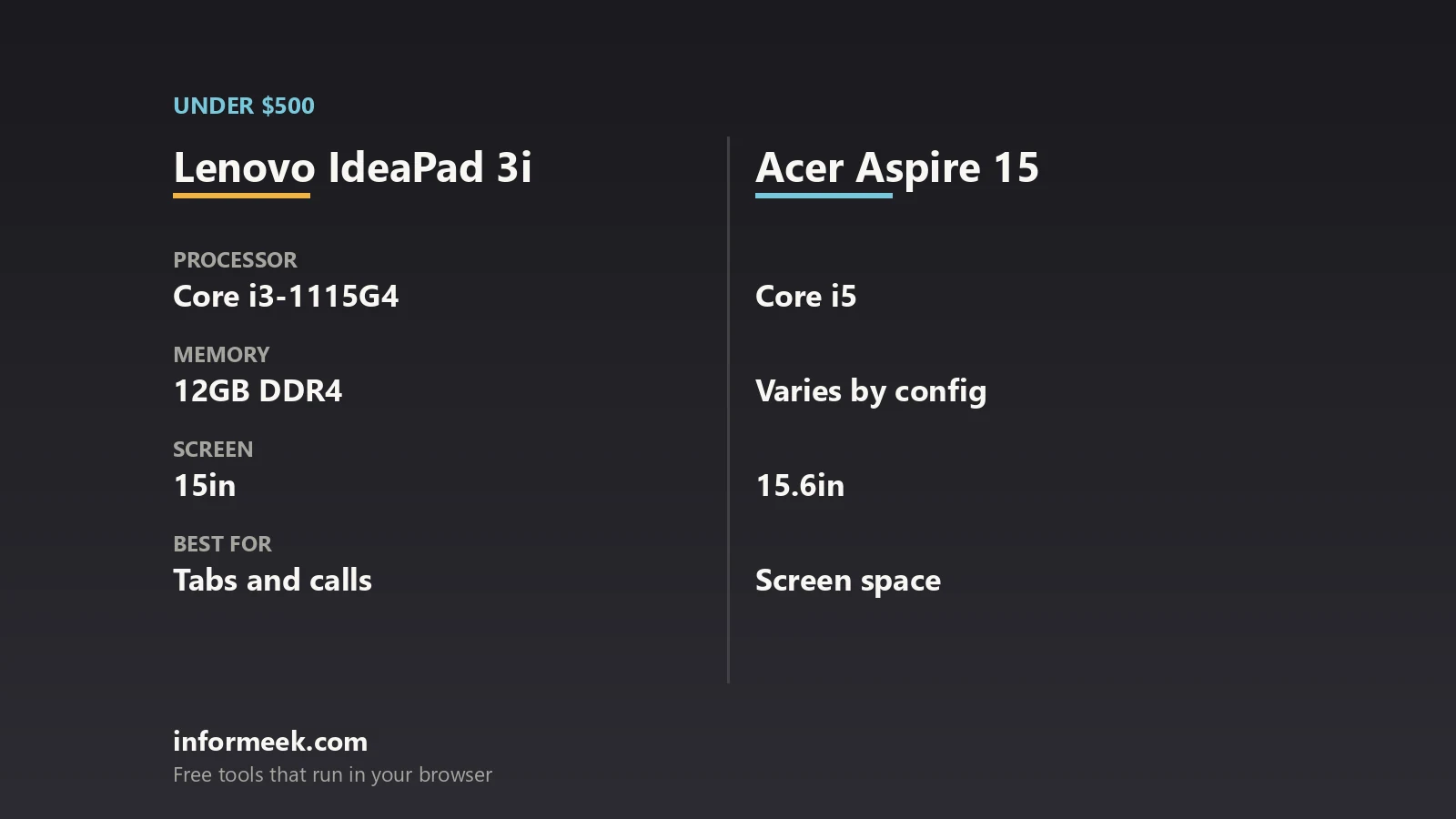
Lenovo publishes a full specification sheet for the IdeaPad Slim 3 15IRH10, the current 15 inch IdeaPad Slim 3, through its PSREF reference. It lists 13th generation Intel H series processors: the Core i5-13420H with 8 cores in a 4 performance plus 4 efficient arrangement, 12 threads and 12 MB of Smart Cache, or the Core i7-13620H with 10 cores, 16 threads and 24 MB. Graphics are integrated Intel UHD. Memory is DDR5-4800, in either an up to 16 GB offering or an up to 24 GB offering of 8 GB soldered plus a 16 GB SODIMM, and Lenovo notes that installed memory is actually DDR5-5600 but runs at 4800 because of a platform limitation. Storage is two M.2 2242 PCIe 4.0 by 4 slots.
Acer’s most recent 15 inch Aspire announcement covers the Aspire Go 15, model AG15-Q31P, introduced on 28 May 2026 as the first laptop on the Snapdragon C platform. Acer lists a Qualcomm Adreno GPU, a 15.6 inch Full HD 1920 by 1080 display at 16:9, up to 8 GB of memory, up to 512 GB of storage, a 1080p webcam, dual speakers, two full function USB Type-C ports plus USB Type-A, HDMI 1.4 and an audio jack, a 53 Wh battery and Wi-Fi 6E with Bluetooth 5.4 or above. Acer said at launch that availability would be announced later, so confirm what is actually on sale in your country.
IdeaPad 3i vs Acer Aspire 15: 6 easy ways to choose
- Check the instruction set first. An Arm machine and an x86 machine are not interchangeable. Microsoft documents that Windows 11 runs unmodified x86 and x64 apps on Arm devices under emulation, while Arm apps run natively, and it recommends Arm-native builds for the best performance, responsiveness and battery life.
- Find out whether memory is soldered. Lenovo lists a SODIMM slot on the IdeaPad Slim 3, so memory can be changed later. Acer lists the Aspire Go 15 as up to 8 GB with no slot mentioned, which means the figure you buy is the figure you keep.
- Count the storage slots. Two M.2 slots means you can add a drive without removing the system drive. One means a migration.
- Read the display line properly. Panel options differ wildly inside one product name. The IdeaPad Slim 3 sheet runs from a 15.3 inch WUXGA IPS at 300 nits, 60 Hz and 45 percent NTSC up to a 15.1 inch WQXGA OLED at 500 nits, 165 Hz and 100 percent DCI-P3.
- Check how the battery claim was measured. Lenovo quotes up to 14.5 hours on the 50 Wh battery and 17 hours on the 60 Wh battery, and states the method: local 1080p video playback at 150 nits. A figure without a method is not comparable.
- Check the ports and the charger. The IdeaPad Slim 3 has a round tip power connector plus USB-C with 45 to 65 W Power Delivery, HDMI 1.4, two USB-A, an SD reader and a combo jack. The Aspire Go 15 lists two full function USB-C ports, so one charger can cover a phone and a laptop.
Where the Arm trade-off actually bites
Microsoft is straightforward about how this works. Windows 10 enabled unmodified x86 apps on Arm devices and Windows 11 added unmodified x64 apps, which it says gives users confidence that the majority of their existing apps and tools run well. Arm apps run natively without emulation, while x86 and x64 apps run under emulation. Microsoft also points developers and users to a compatibility directory for apps and games on Arm, and notes that when given a choice of architecture, choosing the 32 bit x86 version is a reasonable fallback if an x64 build does not work.
In everyday terms: browsers, office software, mail, streaming and most study and admin work are fine. The friction shows up in niche utilities, hardware drivers for older peripherals, some virtualisation and specific games. If any single irreplaceable application is in that list, the x86 machine is the safer purchase regardless of every other specification. Our wider guide to choosing a laptop covers how to make that list, and our comparison of Intel Core Ultra and Snapdragon X covers the same architectural question further up the price range.
What you give up at this price, on both sides
- Colour and brightness. The entry panels on budget 15 inch machines are commonly around 300 nits with roughly 45 percent NTSC coverage, which is fine indoors and poor near a window.
- Biometrics. Lenovo’s sheet lists no fingerprint reader on the IdeaPad Slim 3 and an infrared camera only as an option, so Windows Hello may not be available on the cheapest configuration.
- Ethernet. Neither machine lists an onboard Ethernet port, so a wired connection needs an adapter.
- Discrete graphics. Both rely on integrated graphics. These are productivity laptops that can run light games, not gaming machines.
- Chassis materials. Lenovo offers an aluminium top cover on some IdeaPad Slim 3 models and PC-ABS on others, with a weight difference and a feel difference between them.
One more practical point: weight varies within a single model. Lenovo lists the IdeaPad Slim 3 15IRH10 from 1.59 kg with a 50 Wh battery and an IPS panel, 1.63 kg with the 60 Wh battery, and 1.49 kg with the OLED panel. If portability matters, compare the configuration you are buying rather than the family. If a Chromebook is also on your list, our Chromebook versus Windows laptop comparison is the next thing to read.
Common questions
IdeaPad 3i vs Acer Aspire 15: which is better value? Neither is universally better. The IdeaPad Slim 3 offers upgradable memory, two M.2 slots and a wide panel range including an OLED option. The newest Aspire Go 15 targets quiet, long battery operation on an Arm platform with fixed memory.
Can I upgrade the memory later? On the IdeaPad Slim 3 15IRH10, yes in part: Lenovo lists one DDR5 SODIMM slot, with some configurations also having memory soldered to the board. The Aspire Go 15 is listed as up to 8 GB with no slot stated.
Will my software run on an Arm laptop? Most of it. Microsoft states that Windows 11 runs unmodified x86 and x64 apps on Arm under emulation, with Arm-native apps running without emulation. Check any critical utility, driver or game against the compatibility directory Microsoft links first.
How much screen brightness do I need? Around 300 nits is the common budget figure and is adequate indoors. Brighter panels, such as the 500 nit OLED option Lenovo lists, are much easier to use near windows or outdoors.
Are the quoted battery hours realistic? They describe a specific test. Lenovo’s up to 14.5 and 17 hour figures are for local 1080p video playback at 150 nits of brightness, which is far gentler than browsing with many tabs open.
Sources and further reading
Where the figures and rules above come from, so you can check them:
- IdeaPad Slim 3 15IRH10 processors, memory, storage slots, displays, battery and ports: Lenovo PSREF specification sheet
- Aspire Go 15 (AG15-Q31P) platform, display, memory, storage, battery and ports: Acer press release, 28 May 2026
- x86 and x64 app emulation on Arm, native Arm apps and compatibility guidance: Microsoft Learn, Windows on Arm
- Core i5-13420H and Core i7-13620H core and thread counts as configured by Lenovo: Lenovo PSREF specification sheet
Photo credit: Laptop computer by KK IN HK, CC BY-SA 4.0, via Wikimedia Commons.


Join the discussion