

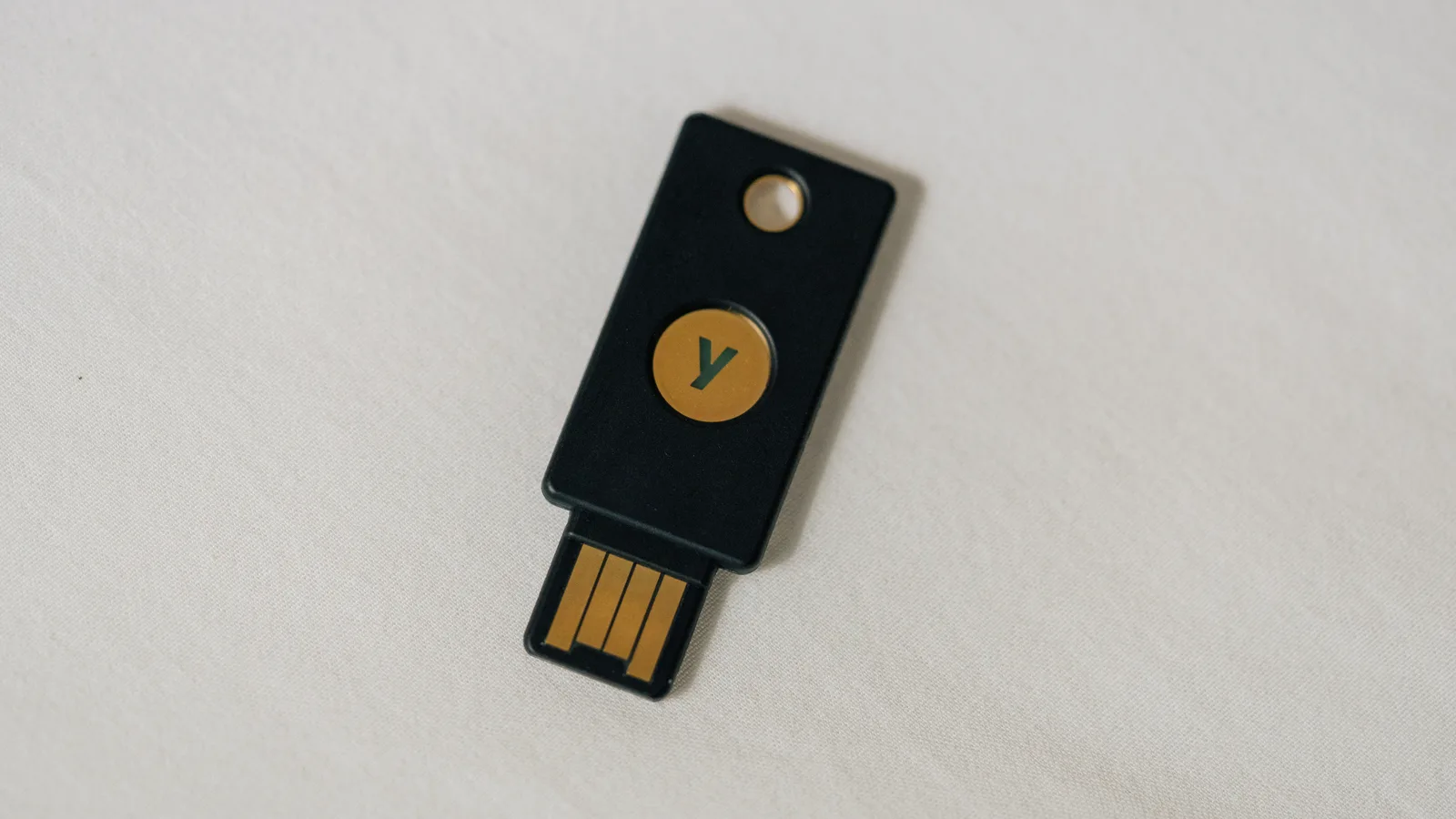
Two-factor authentication means proving who you are with two different kinds of evidence: something you know, something you have, or something you are. CISA defines multi-factor authentication in exactly those terms, and the point is simple. If your password leaks, on its own it is not enough to get in. What most guides skip is that the second factor is not a single thing. There is a ladder, the rungs are far apart, and the rung most websites still offer by default is the bottom one.
Updated October 2026.
What two-factor authentication actually proves
CISA describes multi-factor authentication as a control requiring a combination of two or more different authenticators, and notes that it stops common techniques such as password spraying outright. The standards world formalises this. NIST Special Publication 800-63B, whose fourth revision was published on 1 August 2025, sorts authentication into assurance levels: AAL1 permits a single factor, AAL2 requires two distinct factors, and AAL3 requires cryptographic proof of possession using a private key that cannot be exported from the device and that provides phishing resistance. Two things follow. Any second factor beats none, and the standard reserves its highest level for a specific technology rather than for effort.
The 4 levels of two-factor authentication, best to worst
CISA’s October 2022 fact sheet on implementing phishing-resistant multi-factor authentication ranks the options by how they fail. This is the ordering to keep in your head:
- Phishing-resistant: FIDO or WebAuthn passkeys and public key infrastructure. CISA calls this the gold standard, resistant to phishing, and notes that push bombing, SS7 interception and SIM swap attacks do not apply to it at all.
- App or token codes, and push prompts with number matching. Still vulnerable to phishing, because you can be persuaded to type a code into the wrong page, but resistant to push bombing. CISA names these as the best option for organisations that cannot move to phishing-resistant methods immediately.
- Push prompts without number matching. One tap approves, so CISA records these as vulnerable to push bombing, where an attacker sends prompts repeatedly until somebody presses accept, and to plain user error.
- SMS or voice codes. Vulnerable to phishing, to SS7 protocol weaknesses and to SIM swap. CISA states that this form “should only be used as a last resort MFA option”, while allowing that it can serve temporarily during a migration.
Why SMS is the weakest two-factor authentication
Three weaknesses stack up. A SIM swap, which CISA defines as social engineering that convinces a mobile carrier to move your number onto an attacker’s SIM, hands over every code sent to that number without anyone touching your phone. Our account of how a SIM swap scam unfolds is worth reading, because the defences sit mostly with your carrier rather than with you. Separately, CISA lists exploitation of SS7 protocol weaknesses in telephone network infrastructure as a route to obtaining codes sent by text or voice. And any code you read and type can be typed into a convincing copy of a login page.
NIST reaches the same conclusion from the standards side. It classes out-of-band authentication over the public telephone network as a restricted authenticator, so an organisation using it must offer at least one unrestricted alternative, give users meaningful notice of the security risks, and plan for the method becoming unavailable. NIST also rules that authenticators involving manual entry of an output, which covers every code you copy across, cannot be considered phishing resistant.
None of that means turning texted codes off where they are the only option. It means upgrading wherever a better option exists, starting with email, your password manager and anything holding money. If an account has already been taken, our guide to recovering a hacked account covers what to do first.
Passkeys and hardware keys
The FIDO Alliance defines a passkey as an authentication credential based on FIDO standards that can live on your phone, your computer or a hardware security key, used with the same unlock you already use on that device. Underneath, a key pair is created: the private key stays on the device and the service only ever receives the matching public key, which is why a breach of the service yields nothing to replay. Because the credential is bound to the site’s origin, a lookalike domain cannot trigger it, so the trick behind most successful phishing emails stops working.
There are two flavours. Synced passkeys are copied between your devices through a cloud service, which is what makes them practical. Device-bound passkeys never leave one device, and FIDO describes those as offering the highest security assurance with a hardware-backed root of trust. NIST draws the line in the same place: syncable authenticators are acceptable at AAL2 but cannot reach AAL3, because syncing makes the key exportable. For everyday accounts that distinction matters less than having one at all, and our explainer on passkeys goes through the setup. Keeping the passwords you still need in a password manager is the other half of the same job.
Recovery codes, and the day you lose the device
This is where two-factor authentication goes wrong for ordinary people. The second factor is a lock, and a lock with one key is a plan to be locked out. Google issues a set of 10 backup codes, each becoming inactive once used, and generating a fresh set invalidates the old one immediately; it suggests storing them where you keep a passport. Microsoft issues a 25-digit account recovery code, again invalidating previous codes when you create a new one, and advises against storing it on a device you use to sign in.
The delay is the part people discover too late. Microsoft states that with two-step verification enabled you must wait 30 days for changes to your security information to take effect. A month without your main email account is not a recoverable position for most people, which is the real argument for doing the boring preparation now.
- Enrol two methods on every account you cannot afford to lose. An authenticator app plus a hardware key, or two hardware keys, beats one of anything.
- Print the recovery codes. Paper does not run out of battery, get wiped remotely or stay behind when you trade a phone in.
- Keep a spare key somewhere else. A second hardware key in a drawer covers the case where the first is lost with your bag.
- Enrol the new phone before you wipe the old one. Do it while both devices work, and confirm you can sign in before erasing anything.
- Check your recovery email and phone number once a year. A dead recovery address is the commonest reason a documented recovery path fails.
- Never read a code to anyone. Google says it never asks for a backup code except at sign in, and the same holds for every legitimate service.
Common questions
Is two-factor authentication the same as two-step verification? In everyday use, yes. Google calls its feature 2-Step Verification and Microsoft calls its own two-step verification, while NIST describes the same idea as assurance levels requiring two distinct factors. The names differ more than the mechanics do.
Is SMS two-factor authentication safe enough? It is better than a password alone and much weaker than the alternatives. CISA lists it as vulnerable to phishing, SS7 interception and SIM swap and says it should be a last resort. NIST treats telephone-based delivery as a restricted authenticator that needs an unrestricted alternative alongside it.
What happens if I lose the phone with my authenticator app? You fall back to whatever else you enrolled. Google backup codes work once each, and Microsoft has a 25-digit recovery code. Microsoft also warns that with two-step verification on you wait 30 days for replacement security information to take effect, so set up a second method in advance.
Are passkeys better than an authenticator app? For resisting phishing, clearly. A passkey is bound to the site it was created for, so a fake page cannot use it, while an app code can be typed into the wrong page. CISA places FIDO and WebAuthn above app codes for that reason.
Do you still need a password with a passkey? Often not on that service, since the passkey replaces it, but the account will usually keep a password or another factor as a recovery route. Treat the recovery path as part of the setup rather than an afterthought.
Sources and further reading
Where the figures and rules above come from, so you can check them:
- The threat list and the ranking of MFA forms: CISA, Implementing Phishing-Resistant MFA, October 2022
- Public advice on turning MFA on: CISA, Secure Our World
- Assurance levels AAL1 to AAL3: NIST SP 800-63B-4
- Restricted authenticators and phishing resistance: NIST SP 800-63B-4
- Syncable authenticators at AAL2: NIST SP 800-63B-4
- Publication date of revision 4: NIST
- Passkeys, synced versus device-bound: FIDO Alliance
- Ten single-use backup codes: Google Account Help
- The 25-digit recovery code and the 30-day wait: Microsoft Support
Photo credits: Yubikey USB 2FA U2F Security Token (46900270791) by Tony Webster from Minneapolis, Minnesota, United States, CC BY 2.0, via Wikimedia Commons. Radmi K30 正面照 by 蓝芷怡, CC BY-SA 4.0, via Wikimedia Commons. Ubuntu laptop by Simon Law, CC BY-SA 2.0, via Wikimedia Commons.

Join the discussion