UI design prompts for websites

Prompts for website sections, animated components and full homepages. Open any design to see it working on desktop, tablet and phone, then copy the prompt that builds it.

Prompts

Live
Component · Interactive components

Faceted crystal orb with a 3D glass effect

Live
Component · Animated backgrounds

Plasma effect background for a fusion lab

Live
Component · Carousels and galleries

Spiral gallery of record sleeves

Live
Component · Hover and click effects

Koi pond with a water ripple effect

Live
Component · Cards

Pixel bloom pricing cards

Live
Component · Text animations

Text cursor trail that writes a poem

Live
Component · Cursor effects

Gooey soda blob cursor

Live
Component · Interactive components

Stretch knit cloth simulation

Live
Component · Animated backgrounds

Glowing wave background for night kayaking

Live
Component · Carousels and galleries

3D slider of film posters in depth

Live
Component · Hover and click effects

Confetti click animation

Live
Component · Cards

Melting album cover card

Live
Component · Text animations

Blur text effect with a moving focus lens

Live
Component · Cursor effects

Compass needle field that tracks the cursor

Live
Component · Interactive components

macOS style dock with magnification

Live
Component · Animated backgrounds

Pollen particles animation background

Live
Component · Carousels and galleries

SVG morph animation slider

Live
Component · Hover and click effects

Glowing border cards that follow the cursor

Live
Component · Cards

Team grid with a colour spotlight

Live
Component · Text animations

ASCII text art wordmark that glows like a kiln

Live
Component · Interactive components

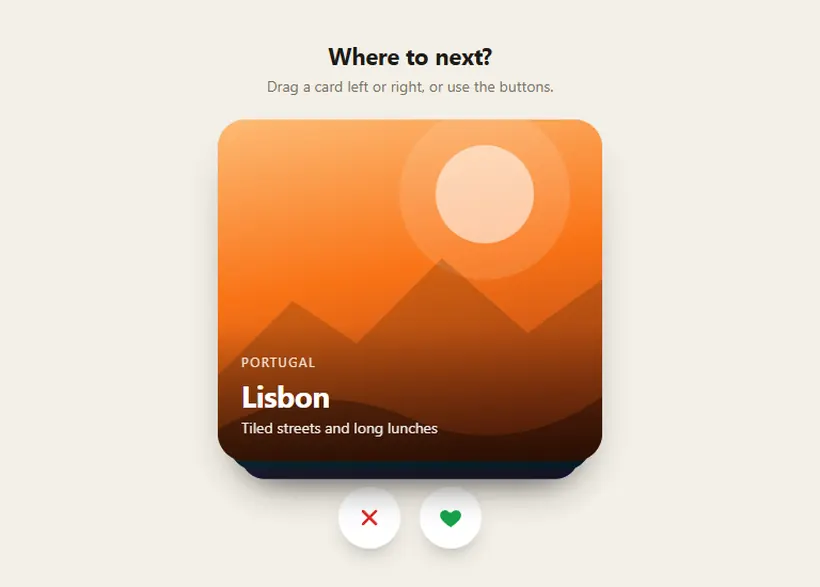
Swipe cards deck

Live
Component · Animated backgrounds

Pixel snow animation over mountains

Live
Component · Carousels and galleries

Scrolling gallery wall that drifts

Live
Component · Text animations

Glitch text effect on a 404 page

Guide

How to write a prompt that builds a good website

The best UI design prompts read like a short brief, not a wish. Name the parts, say which one matters most, and describe how it should move and behave on a phone.

  • Name the content. "Three plans: Starter, Pro and Enterprise" beats "a pricing table".
  • Pick one focal point. Tell the tool which element should draw the eye, and how.
  • Describe motion in verbs. "Slides", "rolls up" and "fades in on scroll" get far better results than "animated".
  • Cover mobile in one line. Most prompts forget it, and most bad results come from that.