

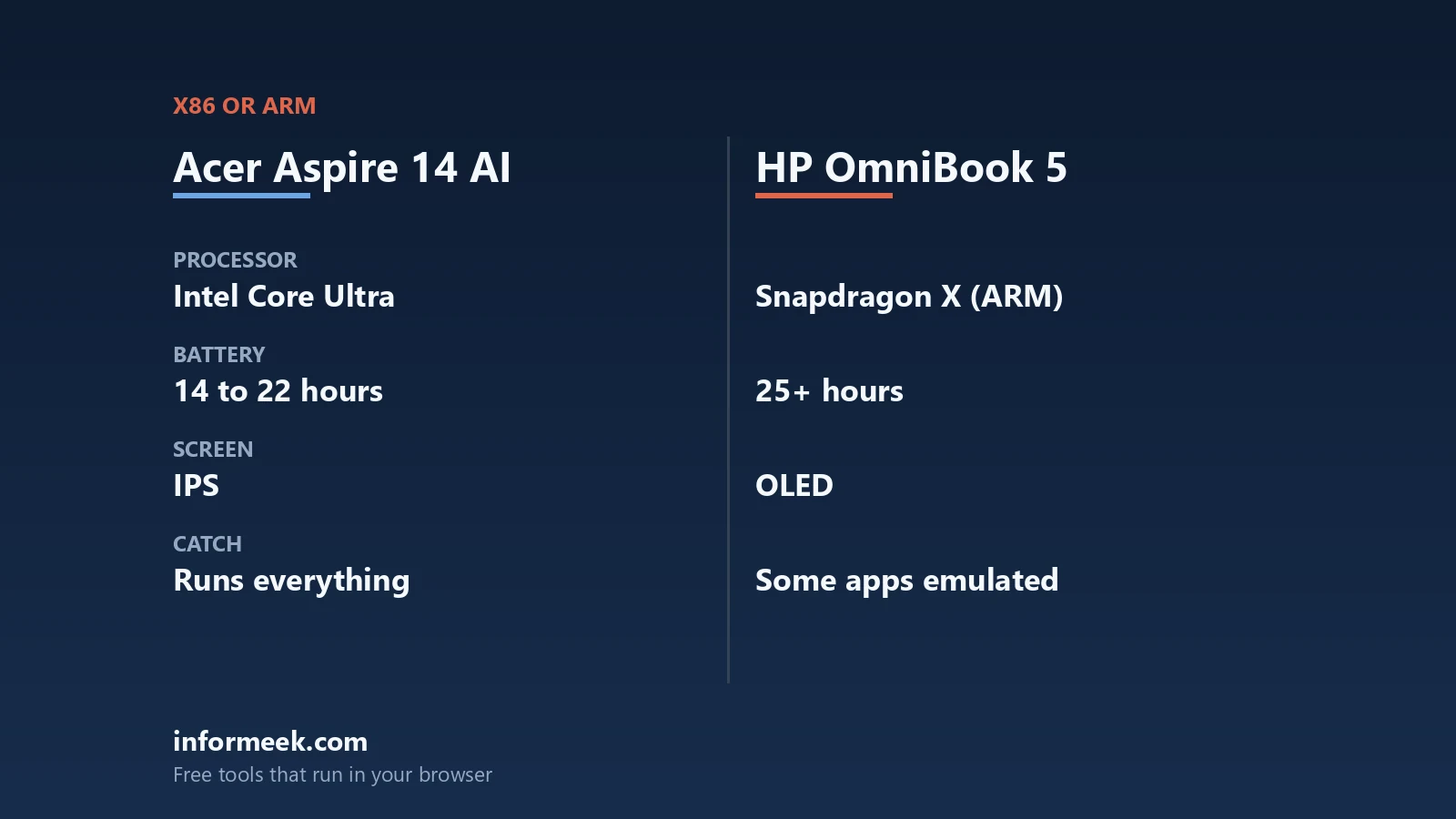
Set the Aspire 14 AI vs HP OmniBook 5 question aside for a moment, because the two machines are close enough on paper that the badge is not the decision. One runs an Intel x86 processor and one runs a Qualcomm Arm processor, and that single difference decides more than screen, weight or price. This comparison sticks to published specifications and documented platform behaviour, so you can check every figure yourself.
Updated October 2026. Specifications and prices vary by configuration, region and retailer, so confirm the exact model number before buying. Everything below is a published specification or a cited measurement, not our own benchmark result.
The two processors, as their makers list them
Intel’s own product database lists the Core Ultra 7 256V used in Acer’s Aspire 14 AI with 8 total cores, made up of 4 performance cores and 4 low power efficient cores, and 8 threads. Maximum turbo frequency is 4.8 GHz, cache is 12 MB, processor base power is 17 W and maximum turbo power is 37 W. Graphics are the Intel Arc 140V GPU. Intel gives the NPU 47 TOPS, the GPU 64 TOPS and an overall platform peak of 115 TOPS at Int8.
Qualcomm’s product brief for the Snapdragon X platform lists the X1-26-100 with 8 Oryon cores, 30 MB total cache, a maximum multi-core frequency of 3.0 GHz, an Adreno X1-45 GPU rated at 1.7 TFLOPS, a Hexagon NPU at 45 TOPS, and LPDDR5x memory with 135 GB per second of bandwidth. A second part, the X1-26-101, is identical apart from an Adreno X1-85 GPU. Both comfortably clear the 40 TOPS threshold Microsoft sets for Copilot+ PC features.
7 published specs worth knowing
- Memory ceiling. Intel lists a maximum memory size of 16 GB for the Core Ultra 7 256V, with memory on the processor package rather than in slots. Nothing about either machine is user-upgradeable, so the configuration you buy is the one you keep.
- Memory bandwidth and cache. Intel specifies up to LPDDR5X at 8533 MT/s with 12 MB of cache; Qualcomm specifies 135 GB/s with 30 MB of total cache. Different platforms count these differently, so treat them as design choices rather than a league table.
- NPU TOPS against the Copilot+ bar. Microsoft requires an NPU capable of more than 40 TOPS. Intel lists 47 TOPS for its NPU, Qualcomm lists 45 for the Hexagon. Both qualify; neither has a meaningful margin over the other.
- Panel. Published specification tables put both at 14 inches and 1,920 by 1,200. The OmniBook 5 configuration reviewed by IT Pro used an OLED panel with a claimed 300 cd/m2; on the Aspire, the same publication measured a maximum of 322 cd/m2.
- Weight and thickness. Published figures are 1.29 kg and 12.9 mm for that OmniBook 5 configuration against 1.39 kg and 17 mm for the Aspire 14 AI. A hundred grams and four millimetres is the sort of difference you notice in a bag rather than on a desk.
- Ports. The reviewed OmniBook 5 lists two USB-C 3.2 Gen 2, one USB-A 3.2 Gen 1 and a headset jack. The Aspire 14 AI lists two USB-A 3.2 Gen 1, two USB4 Type-C, HDMI out and a 3.5 mm jack. If you plug into projectors or older peripherals, that gap matters more than any chip figure.
- Battery. The reviewed OmniBook 5 carries a 59 Wh cell, and IT Pro measured 20 hours 40 minutes in its own rundown test, which is the reviewer’s measurement rather than a manufacturer claim. Treat any battery figure as workload-dependent.
Where Arm emulation actually bites
This is the part no specification sheet shows. Windows 11 on Arm runs x86 and x64 applications through emulation, improved in Windows 11 24H2 by a new emulator called Prism, which Microsoft says is tuned specifically for Qualcomm Snapdragon processors, with some of its performance features requiring hardware present only in the Snapdragon X series. Emulation works by just-in-time compiling blocks of x86 instructions into Arm64 and caching the results, so most ordinary applications simply run.
The documented limit is the one to plan around. Microsoft states that “emulation only supports user mode code and doesn’t support drivers”, and that any kernel mode component must be compiled as Arm64. That single sentence covers most of the real-world trouble: hardware with its own driver, security and anti-cheat software that loads at kernel level, virtual machine and hypervisor tooling, and anything that installs a system-level filter. Microsoft also notes Windows 10 on Arm emulates only x86, not x64.
Aspire 14 AI vs HP OmniBook 5: how to choose
The Aspire 14 AI vs HP OmniBook 5 decision reduces to one question: is there any application, peripheral or driver you absolutely must run? If the answer is yes, or if you do not know, the x86 machine removes the whole class of problem and gives you HDMI and two USB-A ports as well. If the answer is confidently no, and your work is a browser, an office suite, mail, calls and streaming, the Arm machine is lighter and thinner on the published figures.
Ignore TOPS as a tiebreaker. Both clear Microsoft’s 40 TOPS requirement, and the on-device features that use an NPU today are a short list. Decide on compatibility, ports and the configuration you are stuck with, because with memory soldered to the package there is no upgrade path on either side. If you want the platform comparison in more depth, see Intel Core Ultra vs Snapdragon X, and for the wider shortlist, how to choose a laptop and Chromebook vs Windows laptop cover the alternatives.
Common questions
Is the HP OmniBook 5 an Arm laptop? The configurations built on Qualcomm Snapdragon X parts are Arm based. That means x86 and x64 software runs under Windows emulation, and kernel mode drivers must be compiled for Arm64.
Can I upgrade the memory in either laptop? No. Both platforms use memory on or beside the processor package rather than in slots. Intel lists a 16 GB maximum for the Core Ultra 7 256V, so choose the configuration carefully.
Are both machines Copilot+ PCs? Microsoft requires an NPU capable of more than 40 trillion operations per second. Intel lists 47 TOPS for the Core Ultra 7 256V NPU and Qualcomm lists 45 TOPS for the Snapdragon X Hexagon NPU, so both clear the bar.
What kind of software struggles on the Arm model? Anything that needs a kernel mode component: device drivers, some security and anti-cheat software, hypervisor and virtual machine tooling, and system-level utilities. Microsoft documents that emulation covers user mode code only.
Which has the better screen? Published figures put both at 14 inches and 1,920 by 1,200. The reviewed OmniBook 5 used an OLED panel with a claimed 300 cd/m2, and the same publication measured 322 cd/m2 on the Aspire. Panel type and measured brightness are different things, so compare the exact model you intend to buy.
Sources and further reading
Where the figures and rules above come from, so you can check them:
- Core counts, frequency, cache, power, memory limit and TOPS for the Core Ultra 7 256V: Intel product specifications
- Snapdragon X cores, cache, frequency, GPU, NPU TOPS and memory bandwidth: Qualcomm Snapdragon X platform product brief
- The 40+ TOPS requirement for Copilot+ PC features: Microsoft Learn, Copilot+ PCs developer guide
- Prism, how emulation works, and the user mode and driver limitation: Microsoft Learn, how emulation works on Arm
- Published specification table and measured battery runtime for the OmniBook 5 14: IT Pro, HP OmniBook 5 14in
- Published specification table and measured brightness for the Aspire 14 AI: IT Pro, Acer Aspire 14 AI review
Photo credit: HP Pavilion Computer laptop keyboard closeup by Carissa Rogers, CC BY 2.0, via Wikimedia Commons.
Join the discussion