

A gaming headset is marketed on two things that predict almost nothing about daily use: a surround sound logo and a driver diameter. What actually decides whether you keep wearing one is fit, how intelligible your voice is to other people, how the thing connects, and whether you can run it at a volume that does not cost you hearing over years of long sessions. This guide works through the specifications that are worth checking, using published standards rather than opinion.
Updated October 2026. General information about hearing and equipment, not medical advice. Speak to an audiologist about any hearing change.
Start with volume, because it is the only irreversible part
The World Health Organization and the International Telecommunication Union published a global standard for safe listening in video gameplay and esports in 2025, and it is the most useful document a player can read. It sets out two reference exposures for dosimetry in gameplay devices: Mode 1, the WHO standard level for adults, is a sound dose of 1.6 pascal squared hours per seven days, derived from 80 dBA for 40 hours a week. Mode 2, for sensitive users such as children, is 0.51 pascal squared hours, derived from 75 dBA for 40 hours a week.
The reason that matters is the exchange rate. The standard explains that sound energy doubles for every 3 dB increase, so the safe duration halves. Its own worked table for adults runs from 40 hours a week at 80 dBA down to 20 hours at 83, 10 hours at 86, 5 hours at 89, 2.5 hours at 92, and 4.5 minutes at 107. The standard also sets out the figures behind the concern: globally over one billion people are at risk of hearing loss from unsafe listening in recreational settings, over 1.5 billion live with some degree of hearing loss, and gameplay reaches over three billion people with roughly 1.7 billion playing on a PC or console. Our guide to protecting your hearing covers the habits side of this.
Practically, this means two features are worth more than any driver claim: a volume limit you can set, and sidetone, which lets you hear your own voice so you stop raising it and then raising the game audio to match. The standard asks gameplay devices to track exposure, warn players and include a headphone safety mode that reduces volume automatically when output switches from speakers to headphones, recommending a reduction of at least 3 dB for software titles.
7 gaming headset specs worth checking
- Clamping force, weight and pad material. These decide whether hour three is comfortable. Pad material also decides how well glasses arms seal, which changes both comfort and perceived bass.
- Microphone type and position. A boom that sits near the corner of your mouth, rather than on your cheek, is the single biggest factor in whether people can understand you.
- Connection type. A dedicated wireless dongle, Bluetooth and a 3.5 mm cable behave differently. Many headsets offer two of the three, and which two is often more useful than the audio specification.
- Codec and wireless generation. Bluetooth LE Audio and its LC3 codec are the current baseline for efficiency, and a headset that supports them has a different battery and quality profile from one on the older Classic Audio stack.
- Spatial audio format support. Check which platform format the headset is actually certified or tuned for, because the rendering happens in the operating system more often than in the headset.
- Volume limiting and sidetone. Both are listed in software feature tables rather than audio specifications, so they are easy to miss, and both directly affect long-term hearing exposure.
- Replaceable parts. Ear pads, headband padding, cable and battery are the components that fail. A headset whose pads are sold separately usually lasts years longer than one whose are not.
What gaming headset surround sound really is
Virtual surround over two earcups is rendered by software, not by extra speakers. Microsoft’s developer documentation for Spatial Sound is unusually clear about the architecture: it is a platform level solution for Xbox, Windows and HoloLens 2 that enables both surround and elevation cues, and it lets applications place audio objects at positions in three dimensional space or use up to 17 predefined static channels in an 8.1.4.4 arrangement. The platform supports real time Dolby Atmos encoding, DTS:X for Headphones and Windows Sonic for Headphones over stereo headphones.
Two consequences follow. First, the documentation states plainly that spatial sound can be used with any pair of headphones the consumer already owns, with the rendering done by the platform. A gaming headset marketed as surround capable is mostly telling you it ships with a licence or a software profile, not that it contains additional drivers. Second, the user has to enable a spatial format in the operating system for anything to happen at all, and the number of available dynamic audio objects drops to zero when no spatial format is selected. If you want the wider picture on object based audio, see our explainer on what Dolby Atmos is.
Wireless: what LE Audio changed
The Bluetooth Special Interest Group describes LE Audio as the generation of Bluetooth audio that runs on the Low Energy radio rather than the Classic radio, built around a new codec called LC3, the Low Complexity Communications Codec. Fraunhofer IIS, which co-developed it, states that listening tests show LC3 “will provide improvements in audio quality over the SBC codec…even at a 50% lower bit rate”. LE Audio also adds multi-stream audio, which sends synchronised independent streams to each earpiece, native hearing aid support, and Auracast broadcast audio, which lets one source broadcast to many receivers.
For a headset buyer the practical reading is that low power and low latency are now properties of the radio and codec rather than of a proprietary trick, and that a 2.4 GHz dongle is still the predictable choice for competitive play while Bluetooth is the convenient one for phones and handhelds. If you are weighing earbuds instead, our guide to choosing wireless earbuds covers the same ground for a smaller form factor.
A sane buying order
- Fit first. If you cannot try it on, buy from somewhere with a returns window and treat the first week as the test.
- Microphone second. Record yourself through the headset and listen back before you decide anything else.
- Connection third. Match the devices you actually use, including a console or handheld if relevant.
- Volume controls fourth. Limiting and sidetone are cheap features with permanent benefits.
- Everything else last. Driver diameter, impedance figures and surround branding should not decide a purchase.
Common questions
Does driver size matter on a gaming headset? Not reliably. Driver diameter does not predict tuning, distortion or comfort, and the elements that do predict daily satisfaction are fit, microphone placement and connection type.
How loud is too loud? The WHO and ITU standard uses 80 dBA for 40 hours a week for adults and 75 dBA for sensitive users such as children. Because energy doubles every 3 dB, the safe time halves: roughly 10 hours at 86 dBA and 2.5 hours at 92 dBA.
Is gaming headset surround sound worth paying for? Usually not as a headset feature. Microsoft documents that Windows Sonic, Dolby Atmos for Headphones and DTS Headphone:X render through the platform and work with any headphones, and that you must enable a spatial format for it to apply at all.
Wireless dongle or Bluetooth? A dedicated 2.4 GHz dongle is the predictable option for competitive play. Bluetooth, especially LE Audio with the LC3 codec, is better for switching between phones, handhelds and laptops.
Should I use the console controller jack or USB? Either works. The jack is simpler and avoids pairing, while USB or a dongle usually unlocks sidetone, volume limiting and equaliser settings in the manufacturer software.
Sources and further reading
Where the figures and rules above come from, so you can check them:
- Sound allowance modes, the 3 dB exchange rate, exposure tables and headphone safety mode: WHO and ITU global standard for safe listening video gameplay and esports, 2025
- People at risk from unsafe recreational listening: World Health Organization, Making Listening Safe
- Platform spatial audio, supported headphone formats and object limits: Microsoft Learn
- LE Audio, the LC3 codec, multi-stream audio and Auracast: Bluetooth Special Interest Group
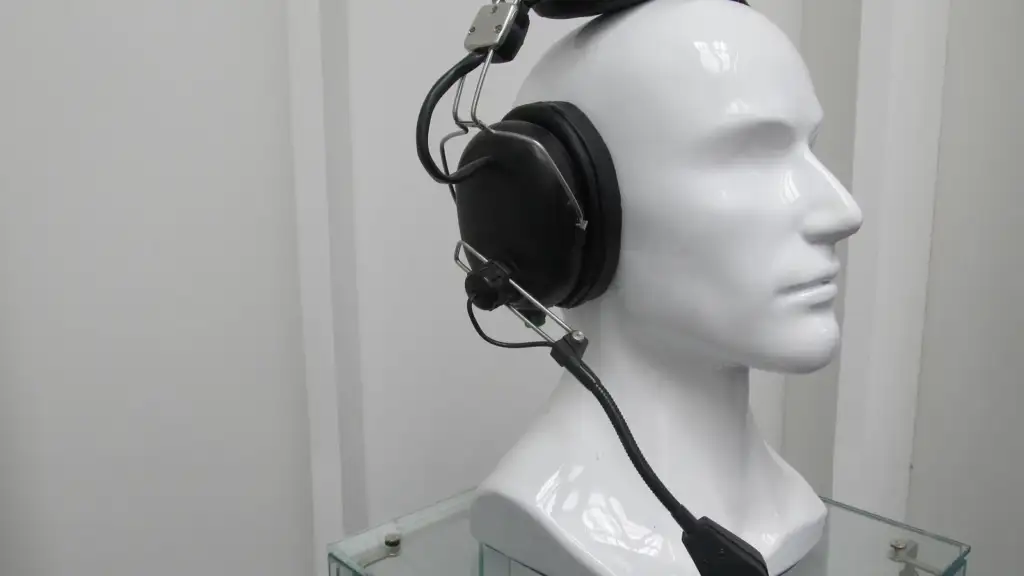
Photo credit: PJSC Oktava headset by Niklitov, CC BY-SA 4.0, via Wikimedia Commons.



Join the discussion